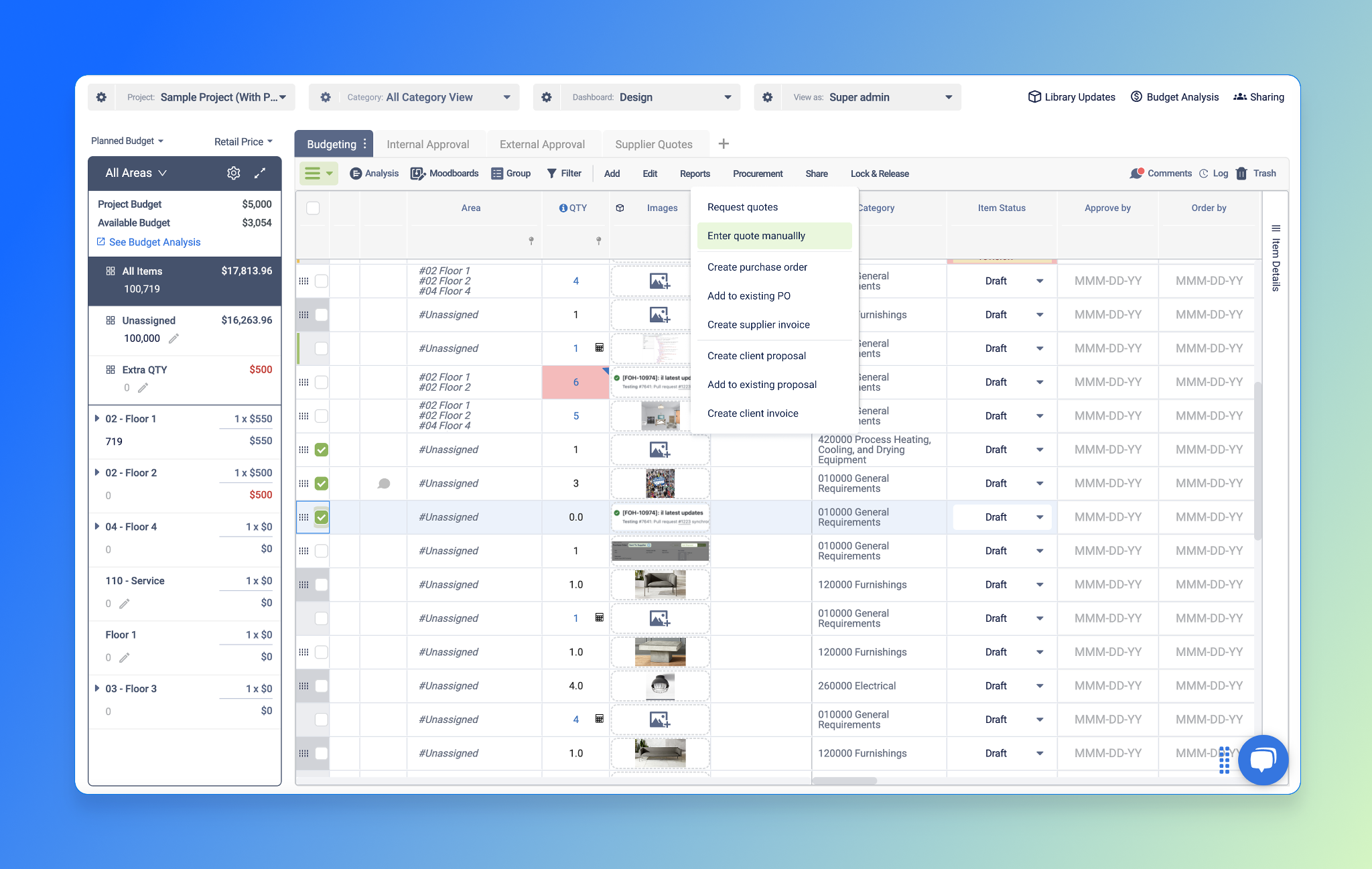
This release brings two powerful updates
-
Record Vendor Quotes Faster: Add quote details manually, no need to wait for suppliers, so you can keep momentum without delays.
-
See Client Proposal & Invoice Totals in Budget Analysis: Get a unified view of your revenue pipeline right alongside your costs for smarter financial decisions.
Record Vendor Quotes Faster — Skip the Extra Steps
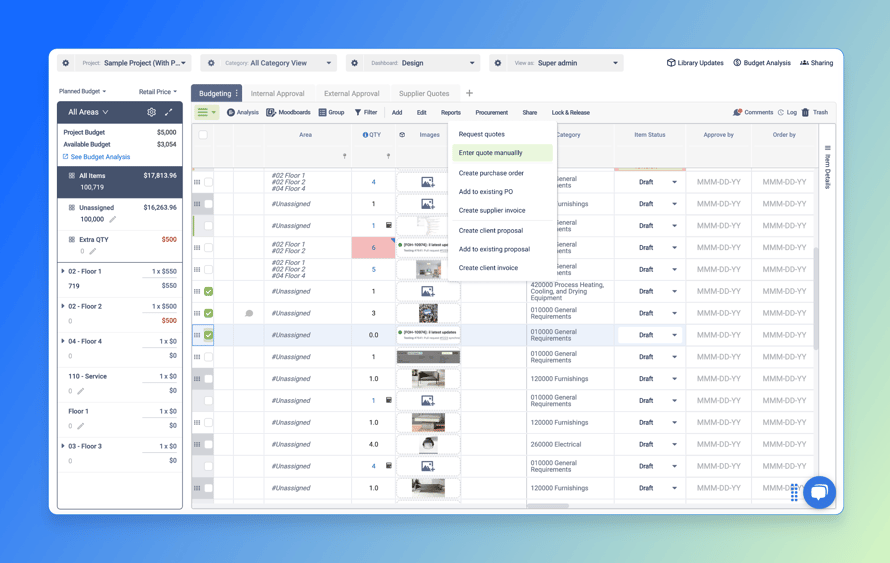
Now you can record quotes yourself, just like you do in real life. We’ve updated the RFQ workflow to better match how quoting actually works for our users:
- Enter quote details yourself – Add pricing, lead time, and shipping info directly from supplier emails or calls, without waiting for them to submit through the platform.
- Speed up your procurement workflow – Skip the delays of supplier-side submissions and keep your project moving.
This change puts the control back in your hands — so you can move faster and track more accurate data without disrupting your vendor relationships.
Coming soon: Soft costs like shipping, installation, and packaging—entered through quotes—will soon appear in the Cost Tracker, so you can track both product and soft costs in one place.
See Client Proposal & Invoice Totals in Budget Analysis
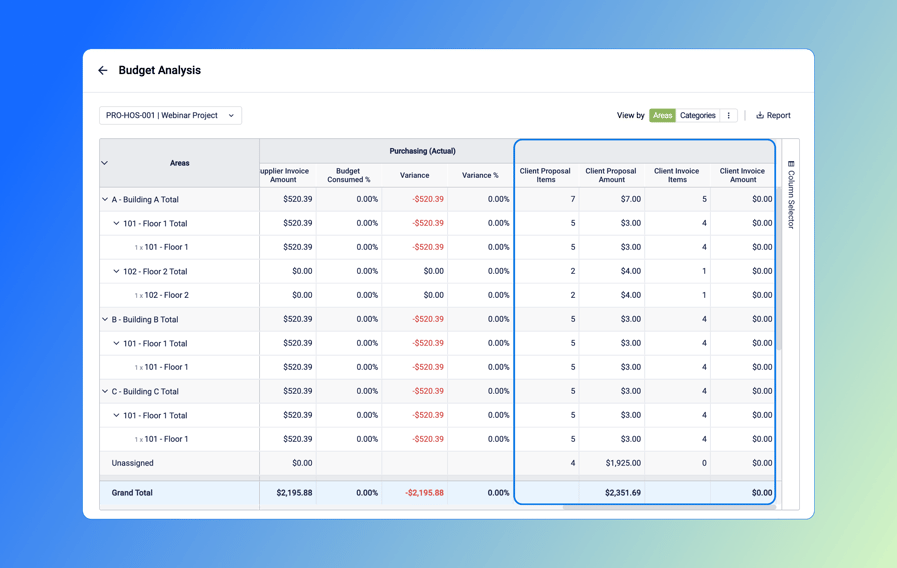
Track both sides of the transaction — in one unified view.
You can now view Client Proposal and Client Invoice totals directly in the Budget Analysis table:
- Client Proposal Totals: See how much has been proposed to the client — item count and total amount.
- Client Invoice Totals: Instantly check how much has been invoiced to the client per area or category.
- Clearer project visibility: Compare supplier costs vs. client-side revenue — all in one place.
This update helps you better track project profitability and spot gaps between what’s being proposed, invoiced, and paid.