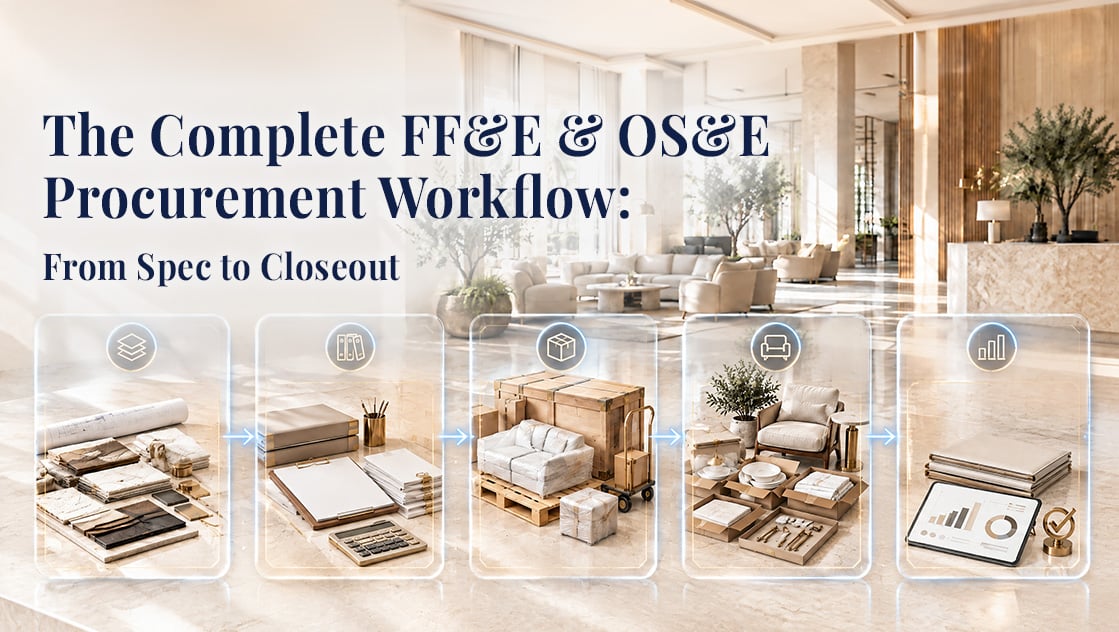
If you’ve ever tried to explain what “FF&E procurement” actually involves to someone outside the industry, you know the short answer never holds up. It isn’t just “buying furniture.” It’s a chain of handoffs — design intent, budget approval, sourcing, purchase orders, freight, receiving, installation, and financial reconciliation — that has to stay accurate across dozens (sometimes hundreds) of vendors, thousands of line items, and several departments that don’t naturally share a system of record.
For commercial procurement teams — hospitality groups, multifamily developers, corporate workplace teams, senior living operators, and the design and purchasing firms that serve them — the workflow usually looks something like this:
- Specification — Design intent becomes a structured, procurement-ready product list.
- Procurement Planning & Purchase Orders — Specs become budgets, RFQs, vendor selections, and POs.
- Production, Shipping & Logistics — Vendors build and ship; someone has to track it all.
- Receiving, Inventory & Installation — Product arrives, gets inspected, staged, and installed.
- Analytics & Closeout — Budget vs. actuals, vendor performance, and lessons learned feed the next project.
On paper, this is a straight line. In practice, it’s rarely that clean — and the reason has less to do with the people running procurement (who are, almost without exception, extremely good at their jobs) and more to do with the tools they’ve been asked to run it on.
Why this workflow breaks down
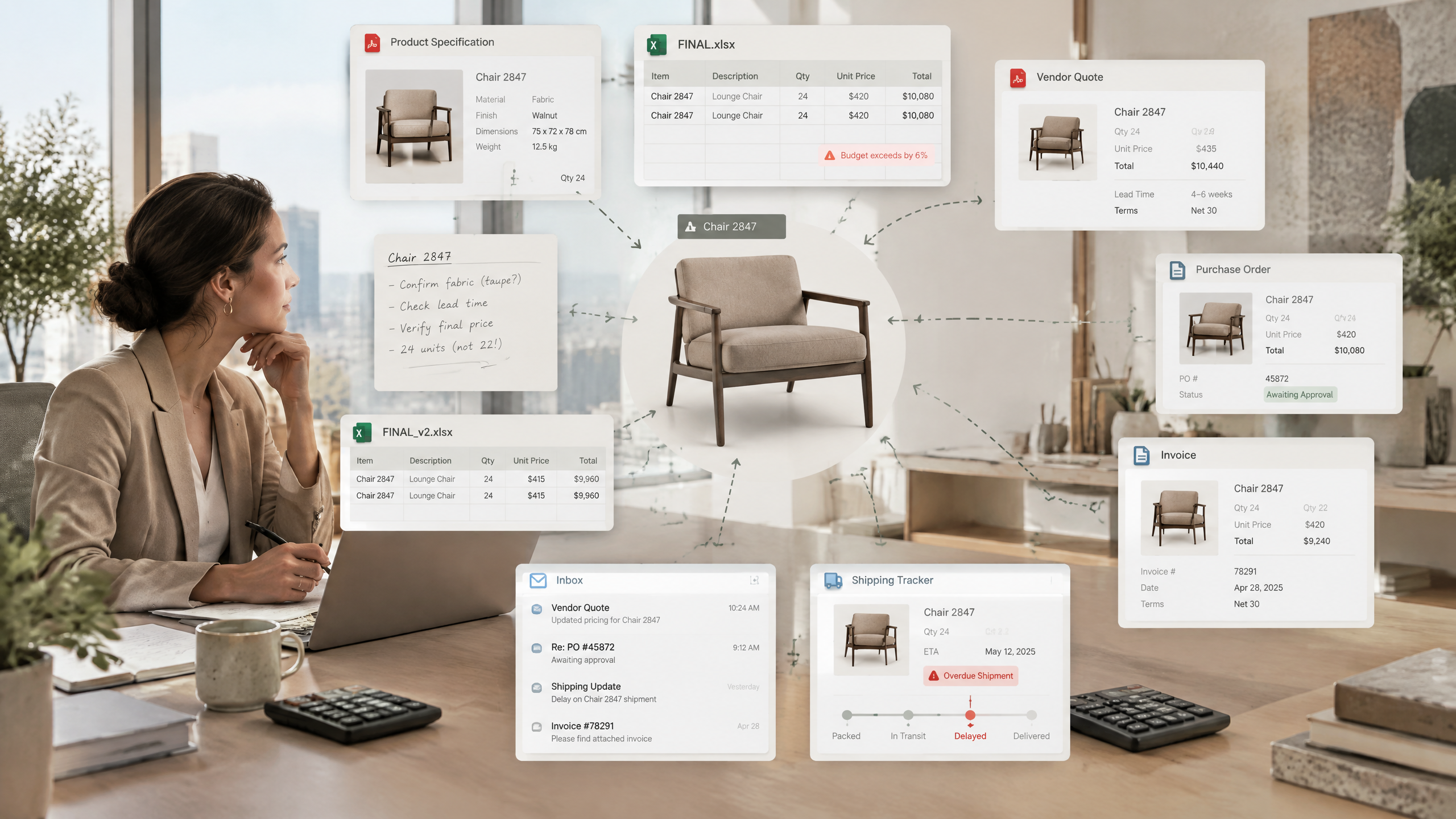
Talk to any procurement manager running FF&E or OS&E for a portfolio of projects and a familiar set of pain points comes up almost every time:
- PDF spec packages and spreadsheets have to be manually re-keyed before procurement can even start, because the specification tool (or lack of one) and the procurement tool don’t talk to each other. And the more outside sources a project has — designers, brand teams, consultants — the more different layouts that inbox ends up holding.
- Legacy Excel workbooks and macros become the de facto budget system — disconnected from real purchase orders, invoices, or shipment status. Excel isn’t a bad tool; it just makes the user personally responsible for every formula, every template, and every version, project after project.
- There’s no single source of truth from quote to PO to invoice to logistics to installation. Each stage lives in its own file, its own tab, or its own inbox.
- Markups, gross margins, and landed costs are hard to see until the project is basically over — by which point it’s too late to correct course.
- Design, procurement, accounting, and vendors are all working from different versions of “the truth,” which is a polite way of saying version control is a constant, low-grade fire.
- Status is invisible in real time. Approvals, shipment delays, and budget overruns are usually discovered after they’ve already caused a problem.
- The same data gets typed in three or four times — once in the spec, again in the RFQ, again in the PO, again in the accounting system.
- Expediting is manual. Someone is checking courier sites, emailing vendors, and hoping nothing slips.
- Every vendor quote shows up in a different format. One PDF, one email, one spreadsheet with its own column headers — sometimes a photo of a handwritten quote sent over text — and someone has to normalize all of it by hand before quotes can even be compared side by side.
- Agents juggle a small stack of disconnected tools just to stay organized — a reminder app, a calendar, a separate task manager, and Excel — because none of them talk to each other, and a single agent is rarely working just one project at a time.
None of this is a knowledge problem. Procurement teams know exactly what “good” looks like. It’s a tooling and data-continuity problem — the workflow keeps breaking at the seams between systems. It’s also not hypothetical: it’s the same short list of complaints procurement-focused firms bring up in almost every discovery call, regardless of company size — quote ingestion, mismatched formats, and manual re-entry come up more often than any feature request.
What “good” looks like
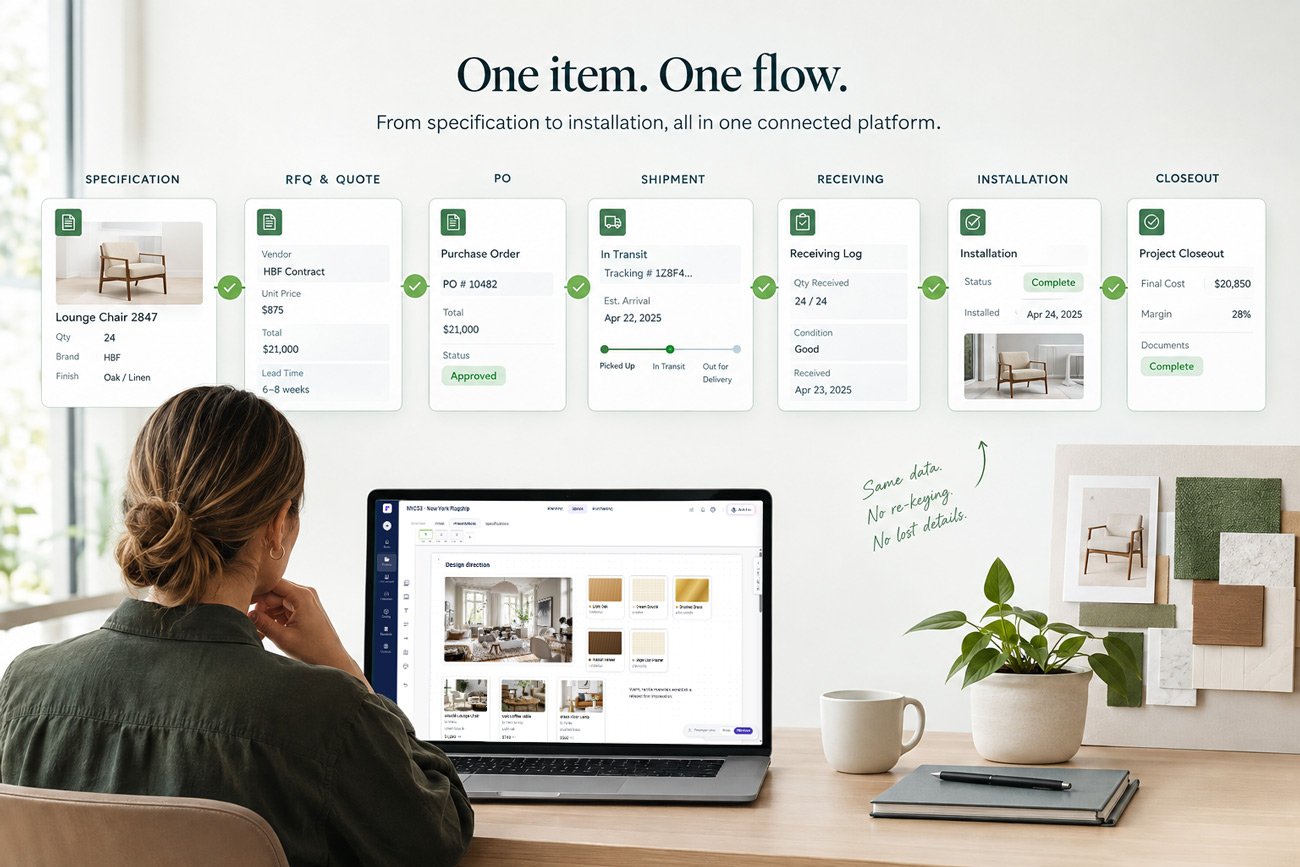
The fix isn’t a better spreadsheet template. It’s treating specification, procurement, logistics, and installation as one continuous data thread instead of five separate processes stitched together after the fact. That’s the model platforms like Fohlio are built around: a specified item — with its cost, vendor, lead time, and approval history attached — flows forward automatically into the RFQ, the PO, the shipment tracker, the receiving log, and the closeout report, without anyone re-typing a single field.
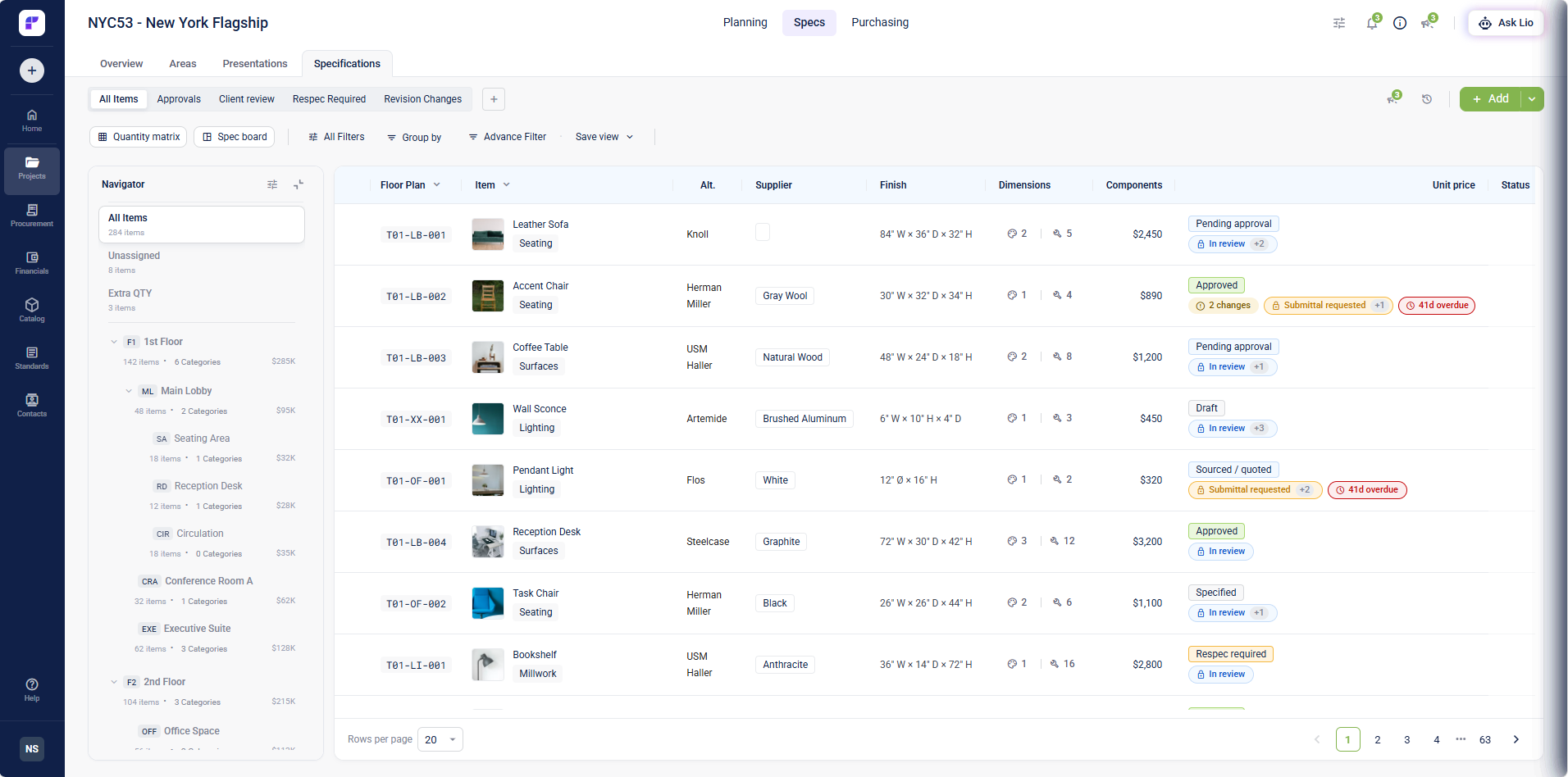
Manually building a single product spec by hand — finding it online, entering the data field by field, tracking down a spec sheet, pulling images, verifying dimensions — is slow, tedious work, and it has to happen before a single item can even go out for pricing. On a project with a few thousand line items, that adds up to real weeks of labor before a single purchase order is cut.
Here’s how the five stages connect, and where to go deeper on each:
1. Specification: turning design intent into a procurement-ready list
Before procurement can do anything, someone has to decide what is being bought — and get it approved. That means brand standards, prototype libraries, custom product development, consultant collaboration, RFIs, revisions, and submittals, all converging into a structured spec that procurement can actually act on (not a PDF someone has to retype).
→ Read: Specification Management for FF&E & OS&E
2. Procurement Planning & Purchase Orders: from approved spec to PO
Once a spec is locked, it has to become a budget, then a sourcing exercise, then a set of vendor-compared RFQs, then an approved purchase order — ideally without leaving the same system, and ideally syncing straight into accounting.
→ Read: Procurement Planning & Purchase Orders
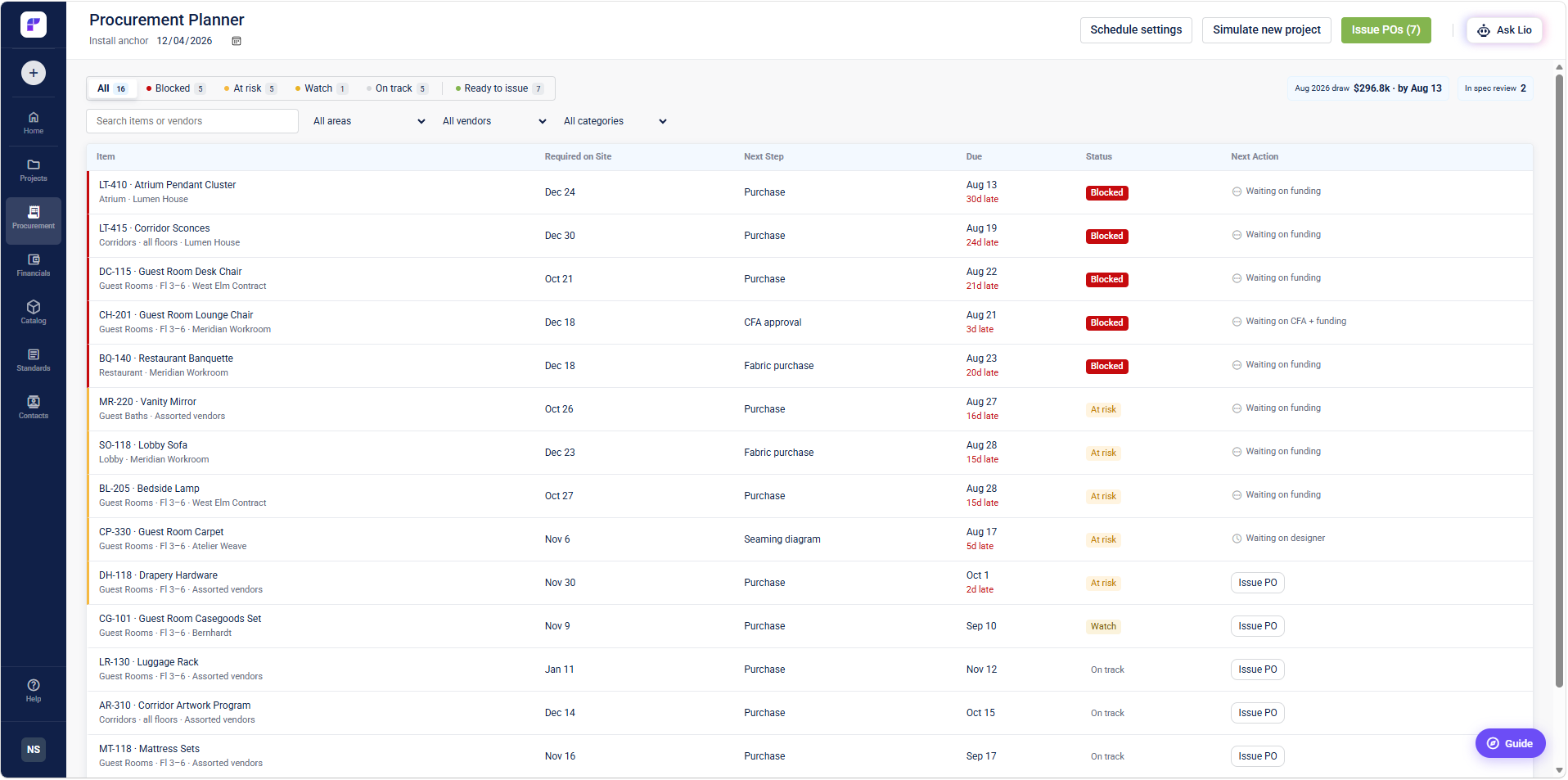
3. Production, Shipping & Logistics: the part nobody sees until it’s late
Custom manufacturing timelines, shop drawing and sample approvals, factory communication, freight, customs, landed costs, and expediting all happen here — and this is usually the stage with the least visibility. A PO that’s been sent isn’t the same as a PO that’s on a truck. Teams need real-time shipment tracking (ideally pulling ship dates directly from the courier, not from a follow-up email) so a delay shows up the day it happens, not the week of installation.

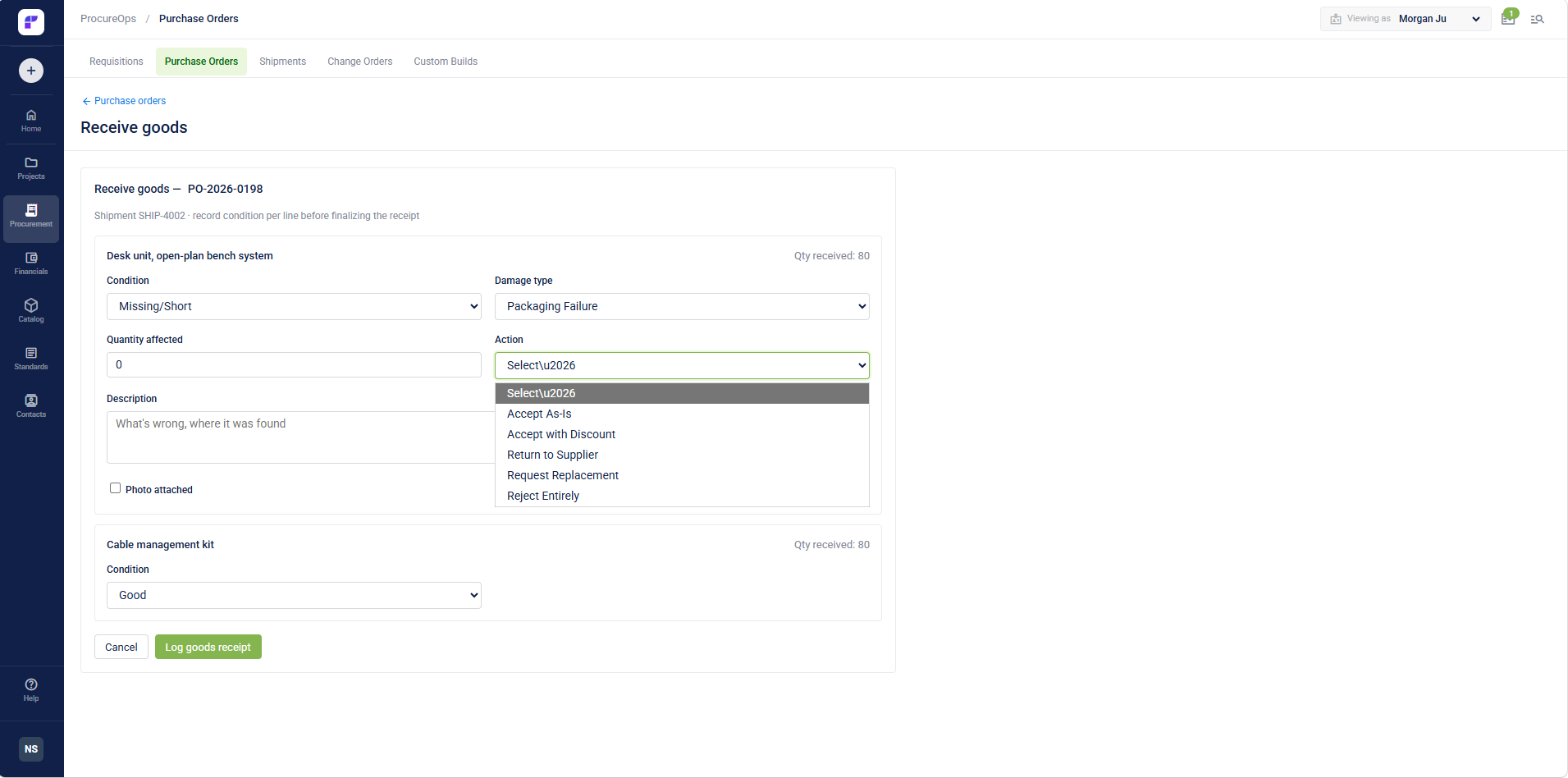
4. Receiving, Inventory & Installation: getting it into the building correctly
Warehouse receiving, inspection for damage or shortages, inventory allocation across rooms or units, transfers between projects, and coordinating installers all have to happen in sequence — and any gap here shows up as a delayed opening or a client walking a punch list with a designer.
→ Read: Receiving, Inventory & Installation
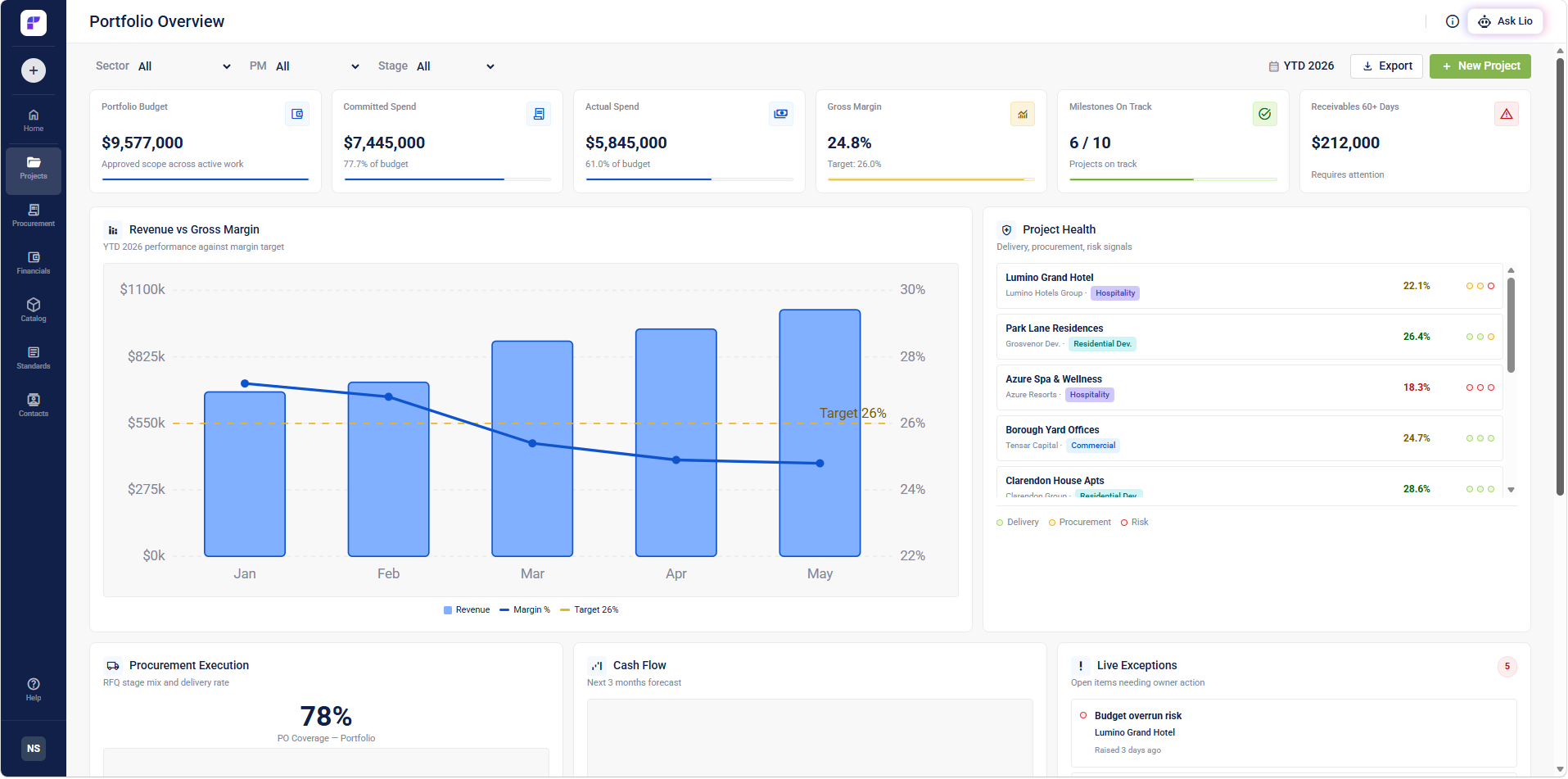
5. Analytics & Closeout: making the next project better than this one
Budget vs. actuals, landed cost, vendor performance, markup and gross margin by project, and a searchable historical product database are what separate a team that repeats mistakes from one that compounds its own knowledge. This is also where the negotiating leverage lives — a procurement team that can show a supplier “we’ve bought $400K from you across 12 projects this year” is negotiating from a completely different position than one starting cold each time.
→ Read: Procurement Analytics & Project Closeout
Where teams get real leverage
The through-line across all five stages is the same: every re-entry is a risk, and every disconnected system is a blind spot. The commercial procurement teams that run the smoothest projects aren’t the ones working harder — they’re the ones who’ve eliminated the handoffs where data used to get lost, retyped, or go stale.
This shows up across very different corners of the industry, at very different scales — it's the same underlying problem whether it's an in-house team managing brand standards across dozens of properties, a dedicated procurement agency running three or four active client projects at once, or a resort portfolio coordinating renovations across multiple properties simultaneously: too many disconnected systems, not enough shared data. It's the exact scale problem that led hospitality groups like Accor, Sandals, and Columbia Hospitality to consolidate that work in Fohlio rather than keep stitching it together themselves.
If you’re evaluating how your own workflow stacks up, the linked articles above walk through each stage in detail, including where Fohlio’s spec, procurement, and reporting tools fit in. If it'd help to talk through your specific setup, we offer a free workflow assessment — no pressure, just a look at where the gaps are.
This article is part of a series on FF&E & OS&E procurement operations. If you’re a design firm, procurement partner, or industry association and think your network would find this useful, feel free to share it — we’d genuinely appreciate a boost on social.