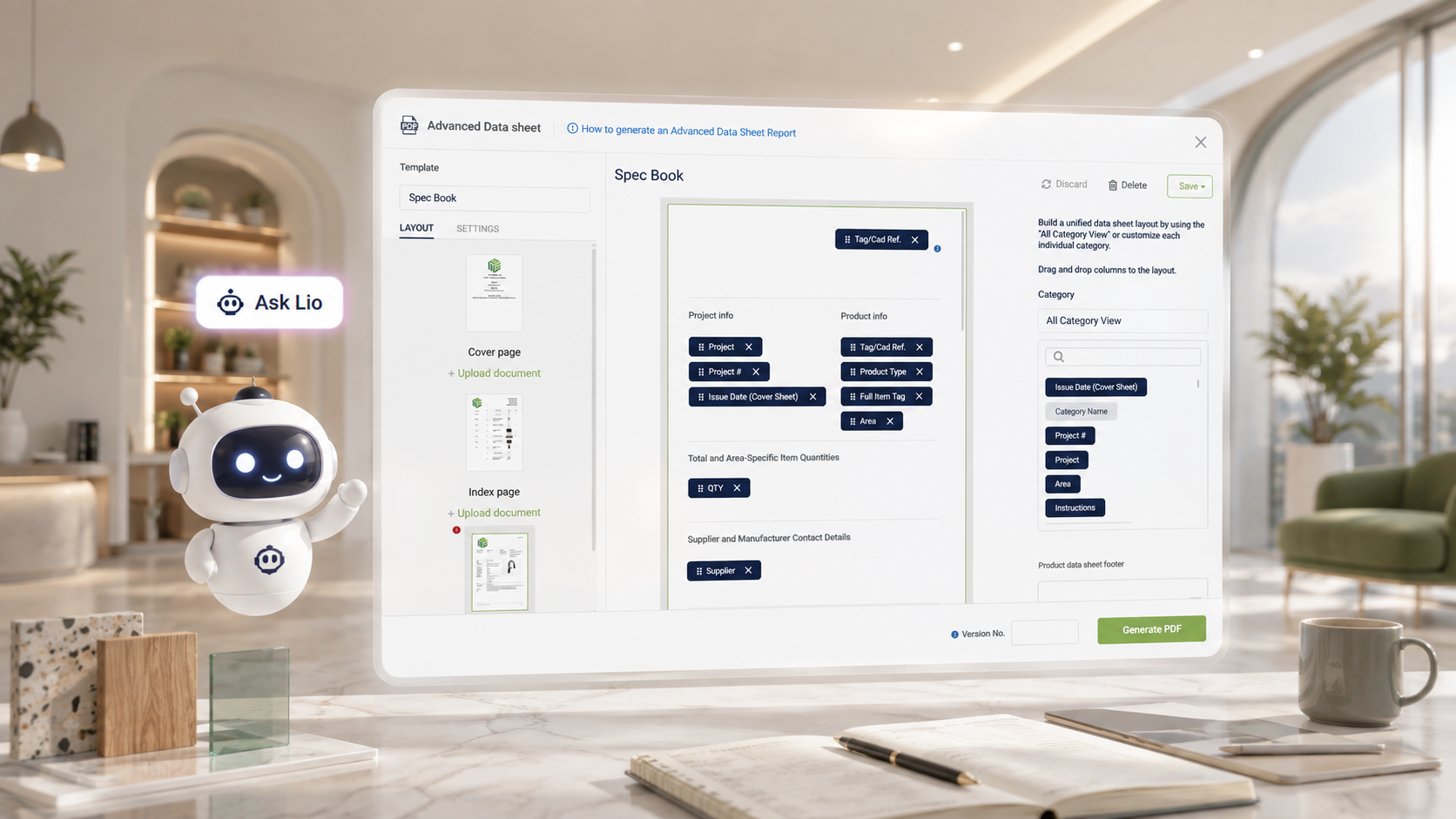
Advanced Data Sheet templates are one of those things a firm sets up once, forgets how to configure, and then has to relearn every time a client asks for something slightly different — a new grouping, an extra filter, a different set of columns. The logic is often in someone's head, not written down anywhere accessible.
A firm should be able to describe the Advanced Data Sheet it needs in plain language and get a working starting point, rather than reverse-engineering column settings from scratch every time.
What's new

Lio, Fohlio's AI assistant, now opens directly beside the Advanced Data Sheet canvas. Instead of switching between a chat window and the Advanced Data Sheet itself, the conversation and the report stay visible side by side. Describe the columns, grouping, and filters needed, and Lio builds a starting template — or edits the one already on screen.
This pairs with a broader round of Advanced Data Sheet polish in the same release: template import/export, image captions and galleries in Properties Tables, additional paper sizes, and settings that template authors can lock for viewers.
See the full release updates
Why it matters
- Lower setup time. A new Advanced Data Sheet template no longer requires someone who remembers every setting from the last time this came up.
- Faster iteration. Because Lio can edit the template already on the canvas, adjusting an existing Advanced Data Sheet is a conversation, not a rebuild.
- Fewer bottlenecks. Report-building knowledge doesn't have to sit with one person on the team — anyone can describe what they need.
Use cases
- Recreating a client-specific report: Describe the layout of a report a client has asked for in the past, and let Lio assemble a matching starting template instead of rebuilding it column by column.
- Onboarding new team members: A newer team member unfamiliar with Report Builder's settings can describe the outcome they want and let Lio handle the mechanics.
- Quick iteration during a client call: Adjust grouping or filters on the fly by describing the change, rather than pausing to hunt through settings menus.
The Fohlio Advanced Data Sheet still gives a team full manual control when they want it. Lio just means that control doesn't have to come at the cost of speed.