Specify, procure, prototype, collaborate, and analyze at scale. Take on bigger projects with confidence and grow your firm with Fohlio. Schedule a demo or book a consultation with one of our account managers to explore these features today.
FF&E Specification Fundamentals: What is FF&E?
What does it mean, really? FF&E—short for furniture, fixtures, and equipment—is one of the main forces that drive a project from design to completion. It’s the heartbeat of every interior design specification, turning ideas into tangible pieces that fill a space with character and function.
In simple terms, FF&E includes everything that isn’t nailed down to the building’s structure—your sofas, lamps, chairs, drapery, and all that other good jazz that makes a room come alive. But here’s where things get interesting: organizing all that detail across multiple projects is no small feat. That’s why designers rely on interior design software to manage every interior design specification, from sourcing and pricing to approvals and installation.
So yes, FF&E might look like “just furniture” to the untrained eye, but to anyone deep in the design process, it’s the core of a well-executed interior design specification—and with the right interior design software, it becomes the engine that keeps every project running smoothly.
Learn more: What is FF&E: The Ultimate Guide to Specification, Procurement, and More
It’s every designer's do-or die- which makes it the number one thing you rely on the most in guiding you through the specification and construction phases of the project. Your furniture, fixtures, and equipment master list is a fantastic tool that helps designers and project managers keep track of important granular details about everything contained inside your project.
Learn more: What is FF&E and OS&E for Hospitality + Procurement?
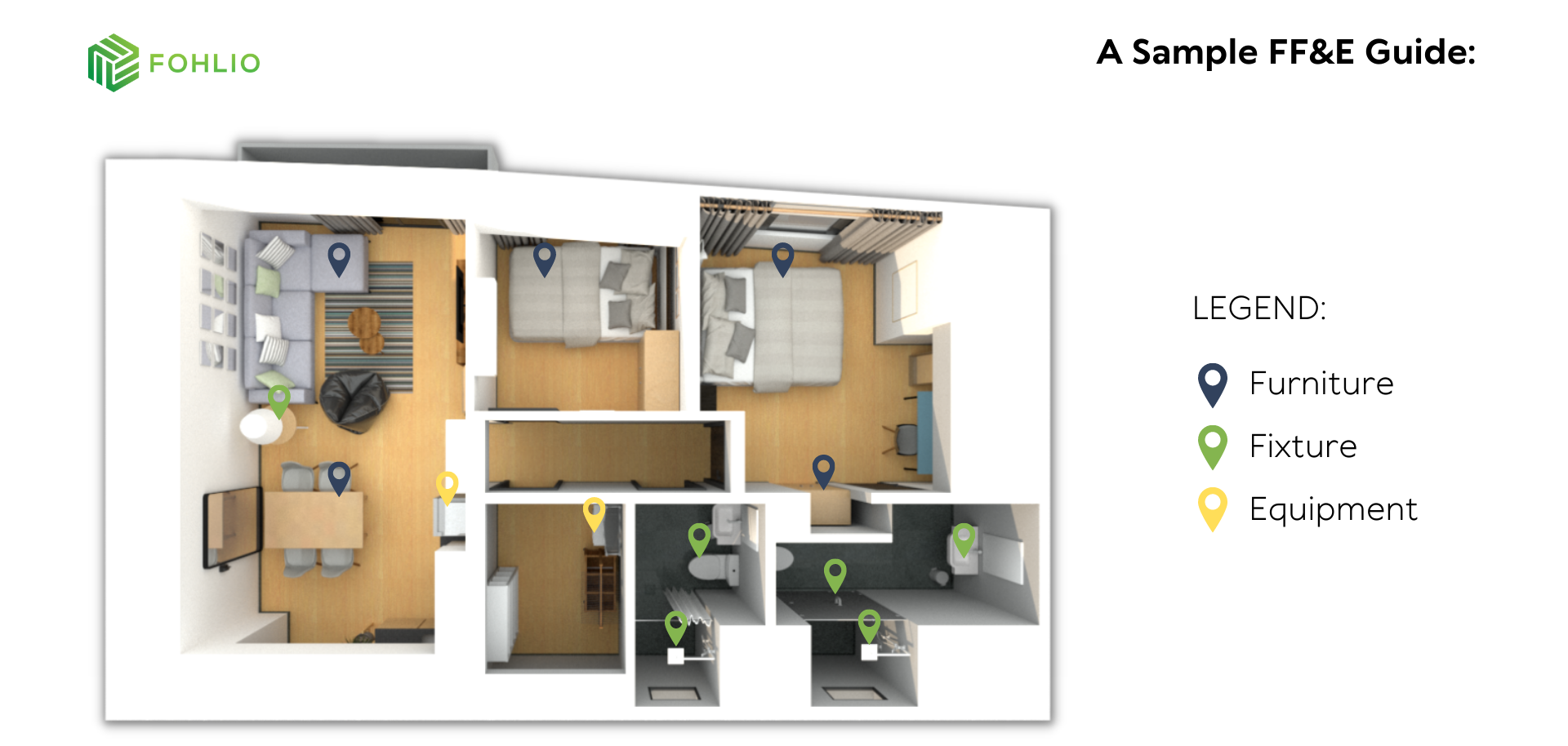
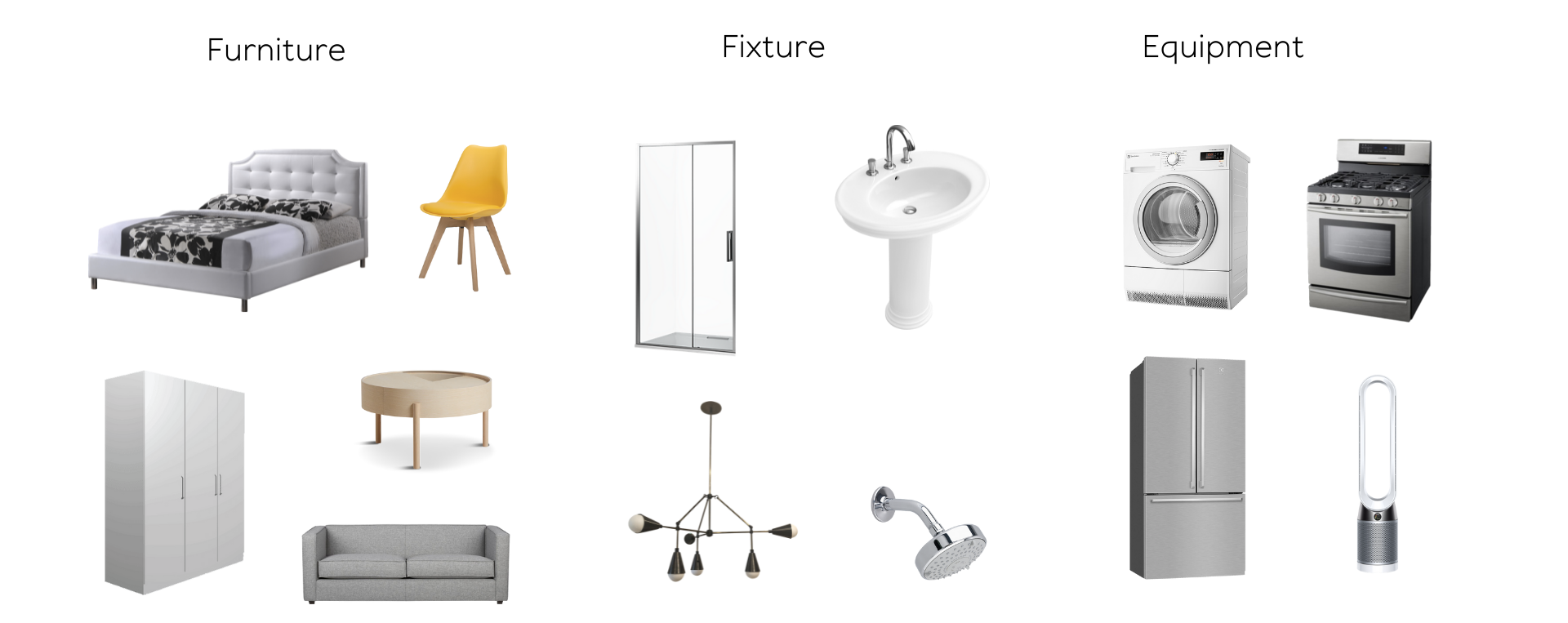
If this is your first encounter with FF&E, here’s a simplified version for your reference:
Why We Need An FF&E Schedule
The FF&E master list gives a full overview of your material breakdown, full descriptions of the items, room placement, and an overview of items to be procured. It is your reference point for all the elements you will use to make up your design. Your FF&E is crucial to building other project documents. Documents like:
- Spec Sheets
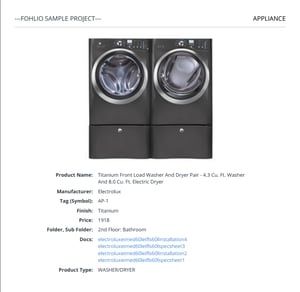
- Bill of Materials
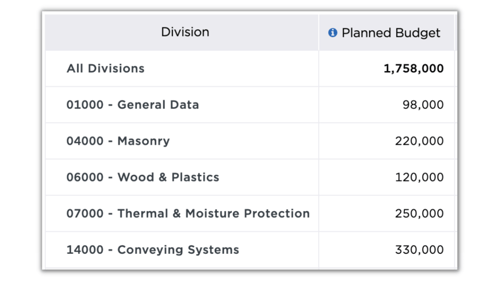
- Room Data Sheets
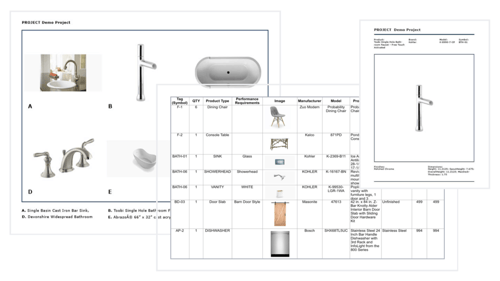
- Schematic Diagrams
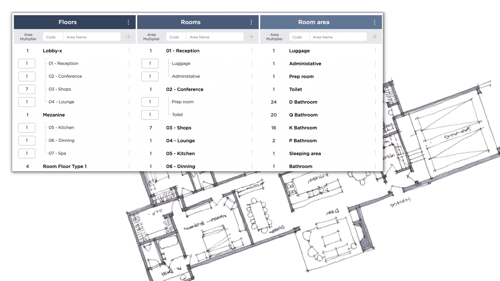
- Procurement Tracking Sheets
.png?width=500&name=boq%20(2).png)
- Project Reports
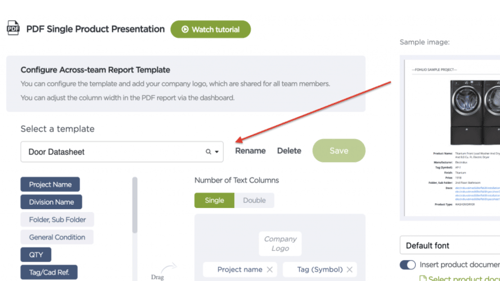
And all the other project submittals you can think of.
Building Your FF&E Specifications
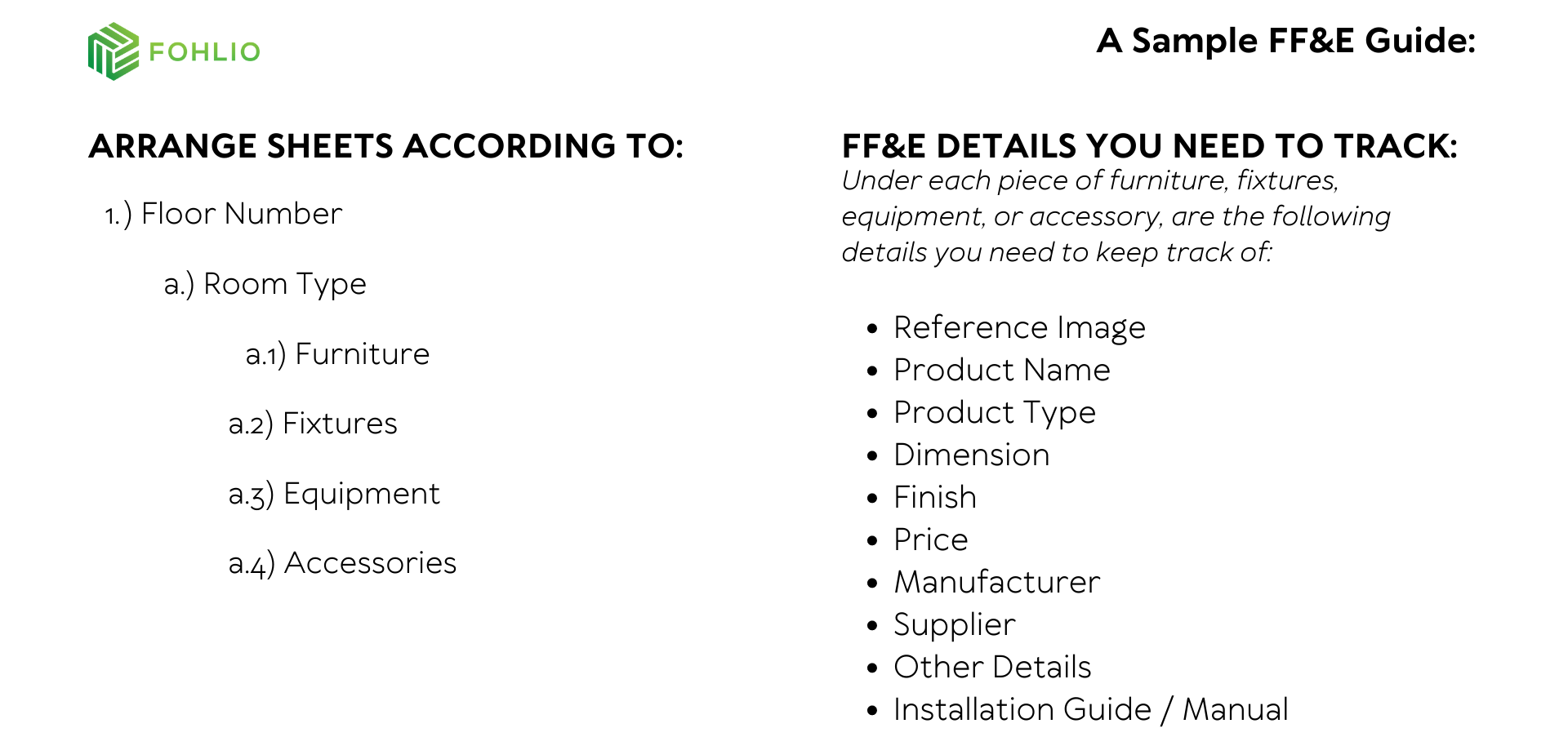
You can build and manage your FF&E data in different ways depending on what works best for your team—but every great project starts with a clear interior design specification. Whether you’re setting up your very first FF&E database or refining your current workflow, having a structured approach makes all the difference.
We’ve created a simple reference to help you get started: a framework that shows how to organize your interior design specification so it’s easy to access, share, and update throughout the design process.
If you’re tired of chasing details across spreadsheets and folders, this is where interior design software becomes essential. By managing your FF&E data and interior design specification in one platform, you can tag items by space, track approvals, and maintain consistency from concept through procurement.
Think of it as building your project’s foundation for smarter, faster decisions. Whether you’re specifying your first hotel or managing a global rollout, having your interior design specification centralized in robust interior design software keeps everyone aligned—and every detail right where it should be.
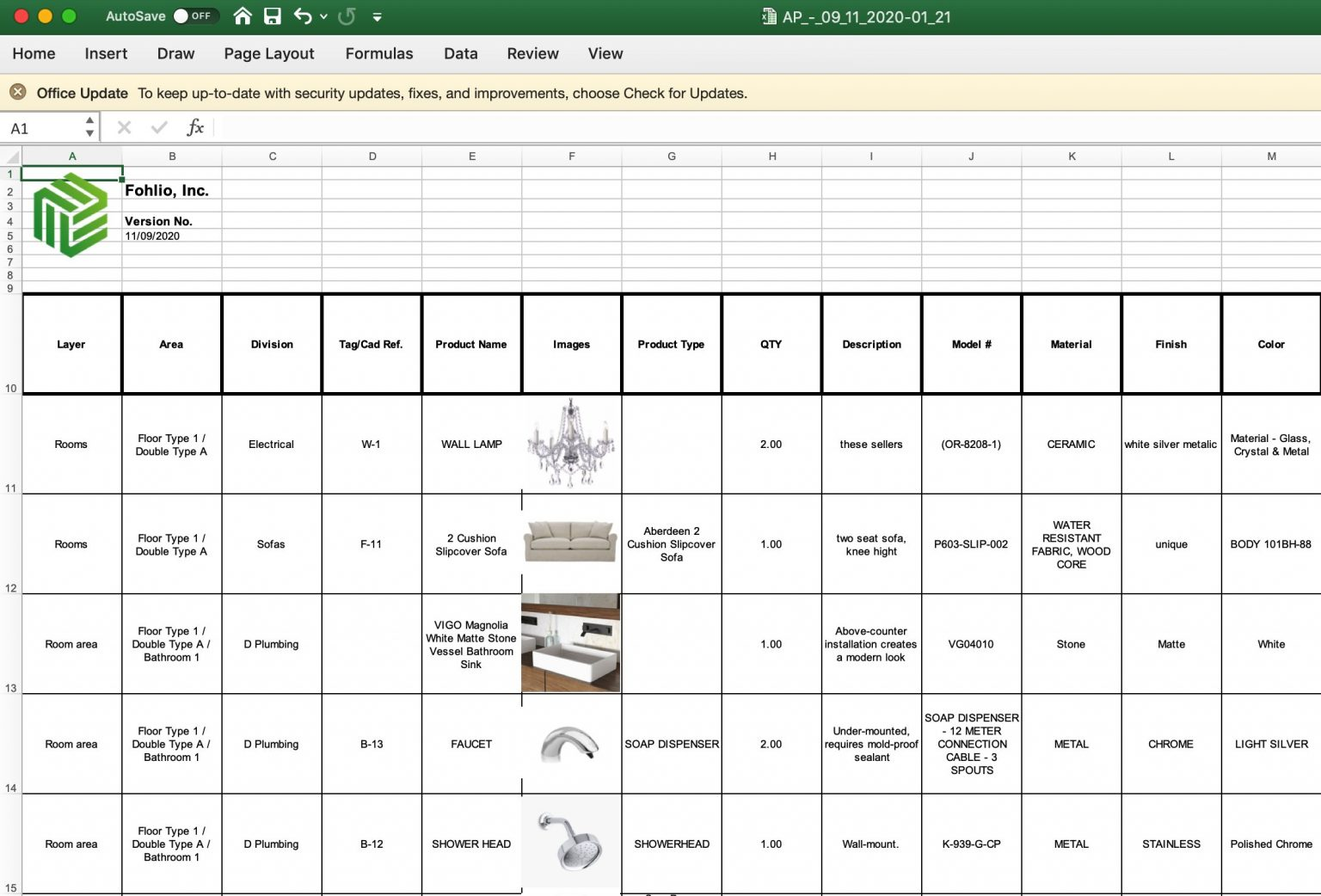
Here’s a good example of what this would look like built into your spreadsheets:
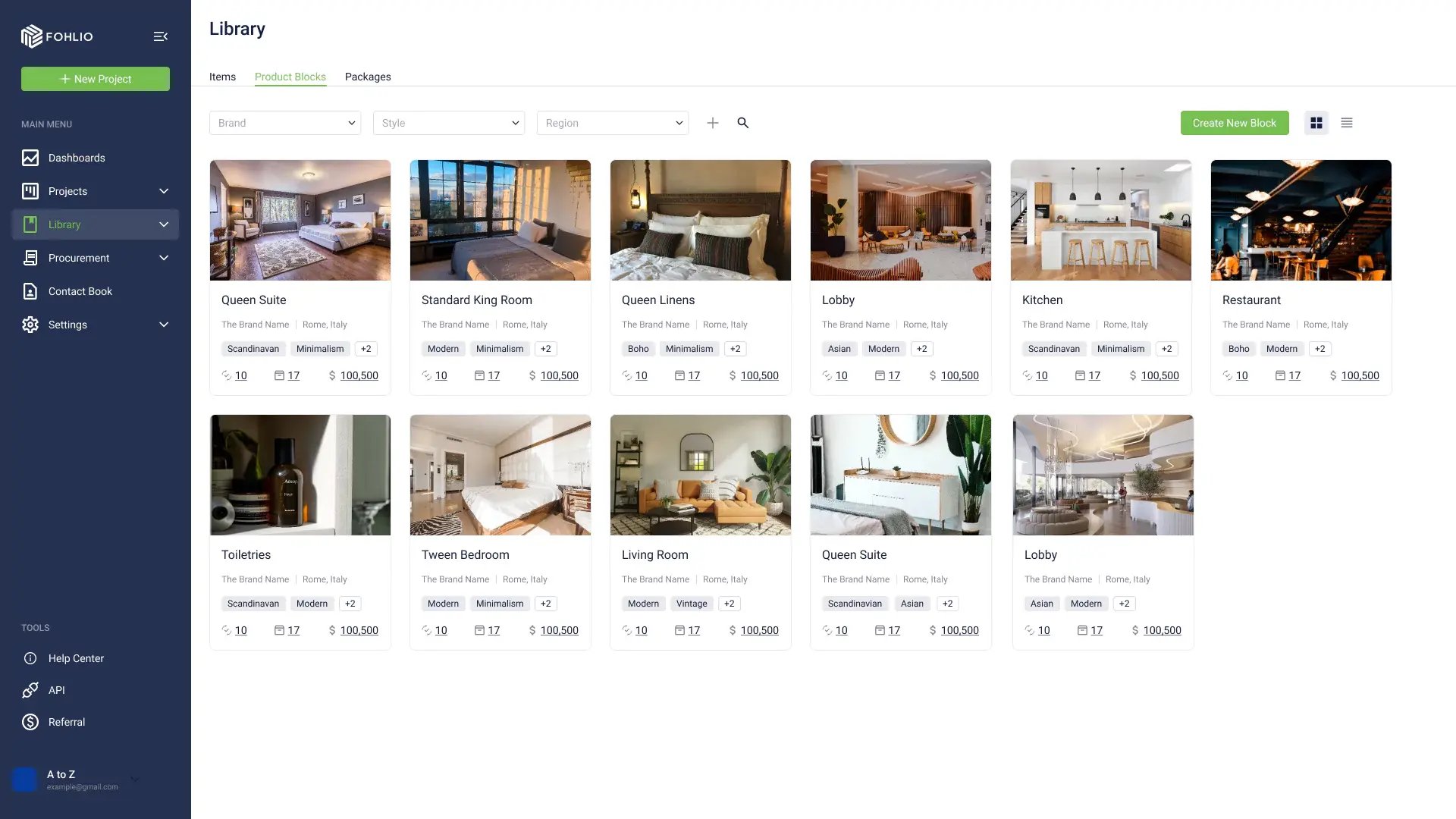
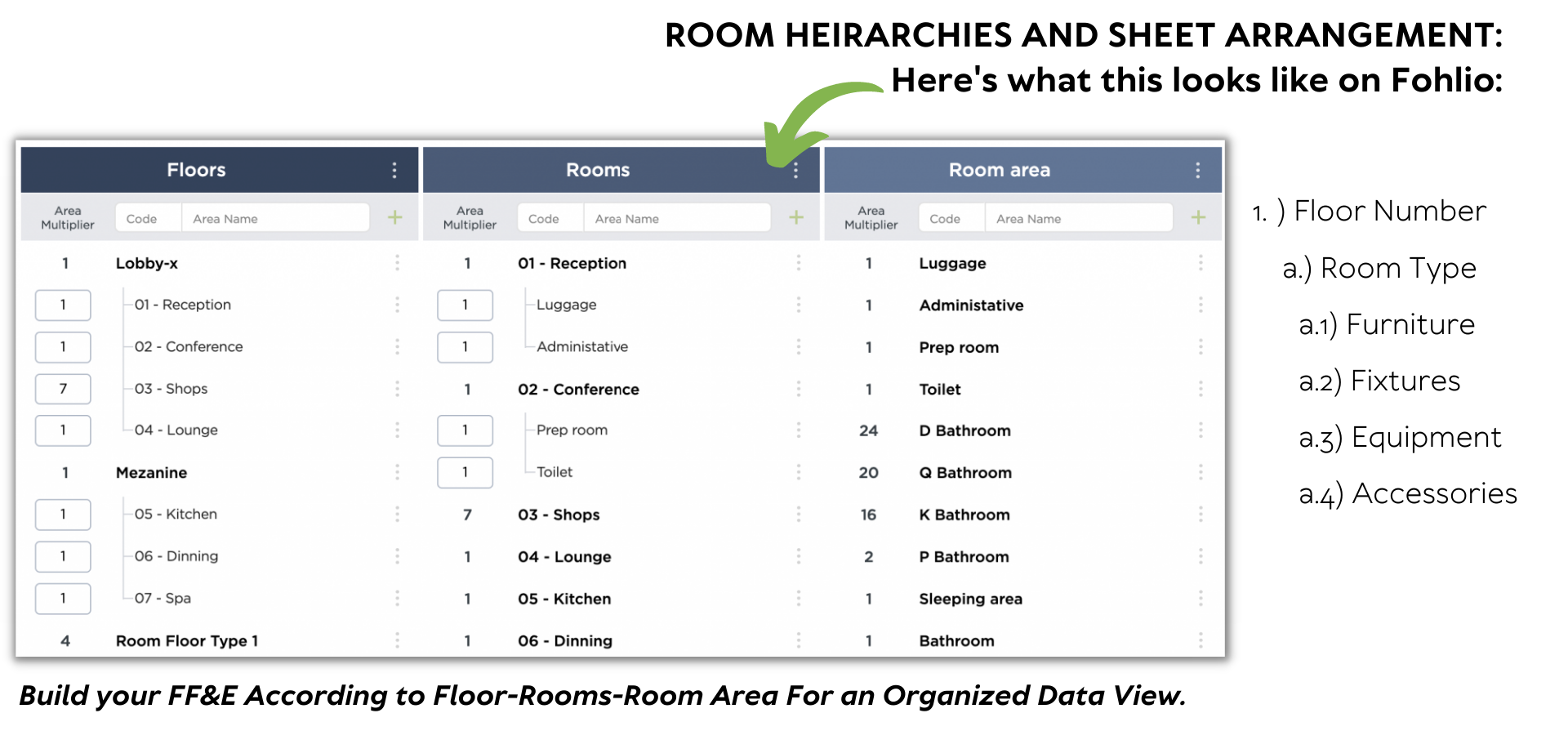
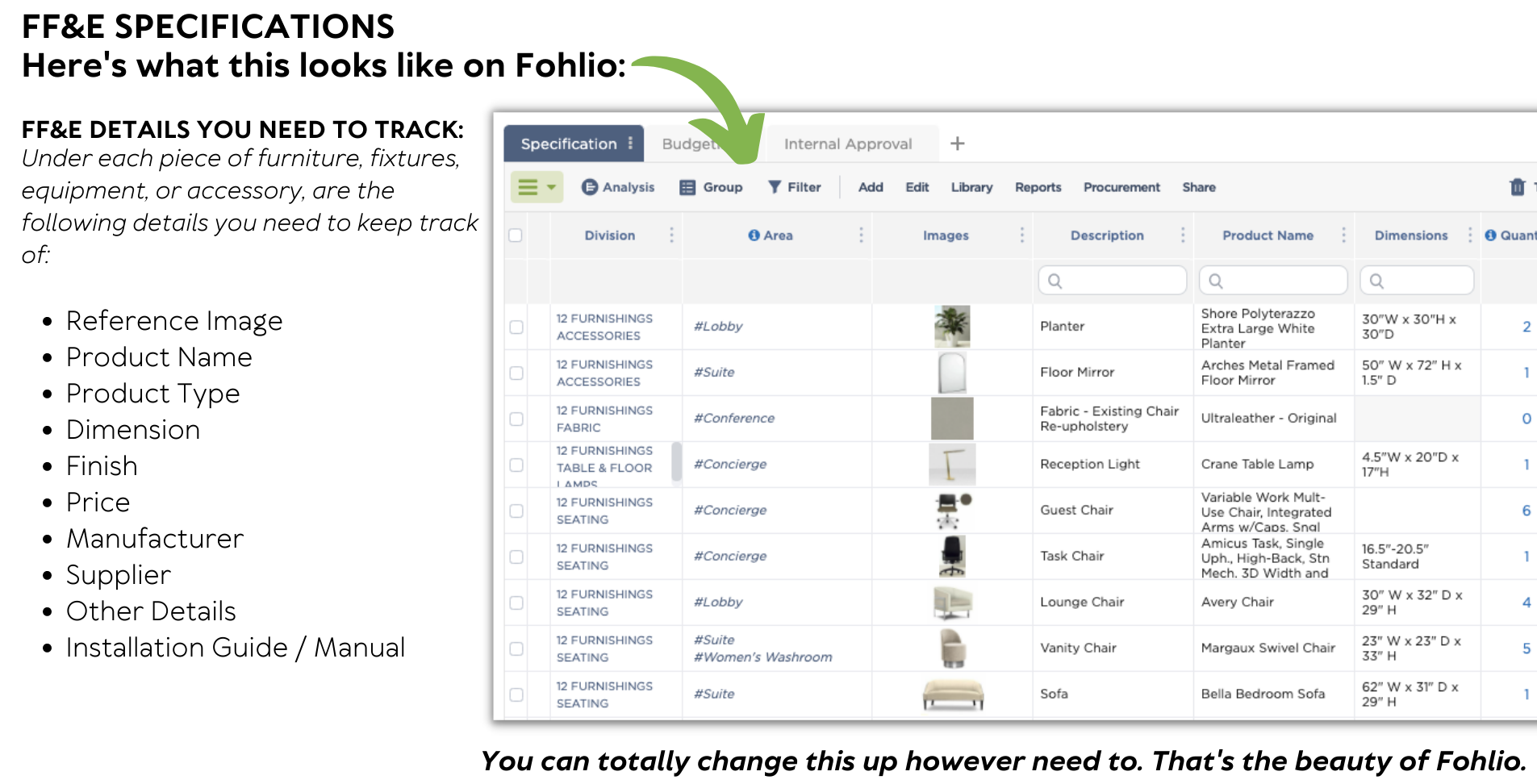
But if you’re that person who is finally looking to upgrade your specification sheets from Excel to software, here’s what your FF&E master list could look like:
FF&E writing is a long process that takes time and effort to figure out. You can use the information we've provided as a stepping stone to building your FF&E standards- or better yet, you can schedule a call with Fohlio and ask our specialists how we can make this process easier for you.
Integrating Your Interior Design Specification into the FF&E Schedule
Your FF&E schedule isn’t just a timeline of procurement and installation—it’s a living extension of your interior design specification. Every item listed, every milestone noted, each check-in with a vendor should reflect the decisions you made in defining finishes, furniture, fixtures, and equipment. Treat the schedule as your specification in motion.
With the right interior design software, you can link each line of your schedule back to its original specification data—material type, finish, budget allowance, vendor lead time, quantity, room assignment, and more. That connection is powerful: when your schedule references your specification directly, you reduce time spent hunting for clarifications, and you strengthen accountability across design, procurement, and installation teams.
Here are three ways to put this into action:
-
Map each specification item to a schedule milestone. When you approve an interior design specification entry (for example a bespoke lounge chair or lighting fixture), create the corresponding deliverable in the schedule: order date, fabrication, delivery, installation.
-
Use your interior design software to create alert triggers when specification data changes and schedule impact is expected. If a finish in your interior design specification gets substituted, the software should flag any schedule tasks tied to that change—so you can adjust timelines and communicate early.
-
Maintain version control across specification and schedule. When every update to your interior design specification is logged and linked to your FF&E schedule in the interior design software, you build a single source of truth. This ensures that as the project progresses (or after it’s complete), you have both the when and the what documented.
By embedding your interior design specification into the rhythm of your FF&E schedule and managing both through intuitive interior design software, you elevate your workflow from reactive to proactive. Projects stay on timeline standards stay aligned, costs stay in check, and your team spends less time firefighting and more time delivering great spaces.
Bonus: Spreadsheets vs. Fohlio
Don't get us wrong- spreadsheets can still give you the capacity to track and manage ff&e information, especially if your project load is on the lighter side of things.
But for those of you who are into the heavy-duty stuff, and by heavy-duty we mean simultaneous, multi-site, large-scale projects- then you might start hitting the wall in terms of what spreadsheets can do for you, your team, and your sea of data. Having multiple projects means having to manage multiple FF&Es at once. This is what software like Fohlio aims to consolidate and optimize.
To simplify, we took some of our client's largest pains and put together a side-by-side comparison of spreadsheets versus Fohlio.
| ENTERPRISE PAINS |
EXCEL |
FOHLIO |
-
Re-work and manual set-ups take up too much time and can be a cause of delay
-
Various stakeholders that need access to different types of information means that there are so many reports to make in such little time
- Reports take too much time to make and need to be done in multiple software
-
Procurement data is all over the
place emails, spreadsheets and
communication apos.
-
Always deals with a large volume of information that needs constant
updating
-
Uses multiple programs for tracking
|
- Manual setup of columns, formulas, and other processes
- Making a separate workflow means having to copy-paste the same information repetitively from other sheets
- Does not accommodate well to external collaborators
- Report-making is manual and usually takes a few hours
- Purchase order tracking is done inside Excel but actual processes are done on external applications
- Need manual updating
- Difficult to edit information in bulk
- No program integrations
|
- Easy set up of columns that can be automated to track formulas and other information like approvals
- No more copy-pasting, only information filtering is needed to support different workflows
- Customizable external views and access
- Automated report builders that can create multiple custom reports at once
- Procurement processes and data are found n one place.
- Bulk and automatic updating of information can be done
- Revit and QuickBooks can be integrated
|
Specify, procure, prototype, collaborate, and analyze at scale. Take on bigger projects with confidence and grow your firm with Fohlio. Schedule a demo or book a consultation with one of our account managers to explore these features today.
.png)