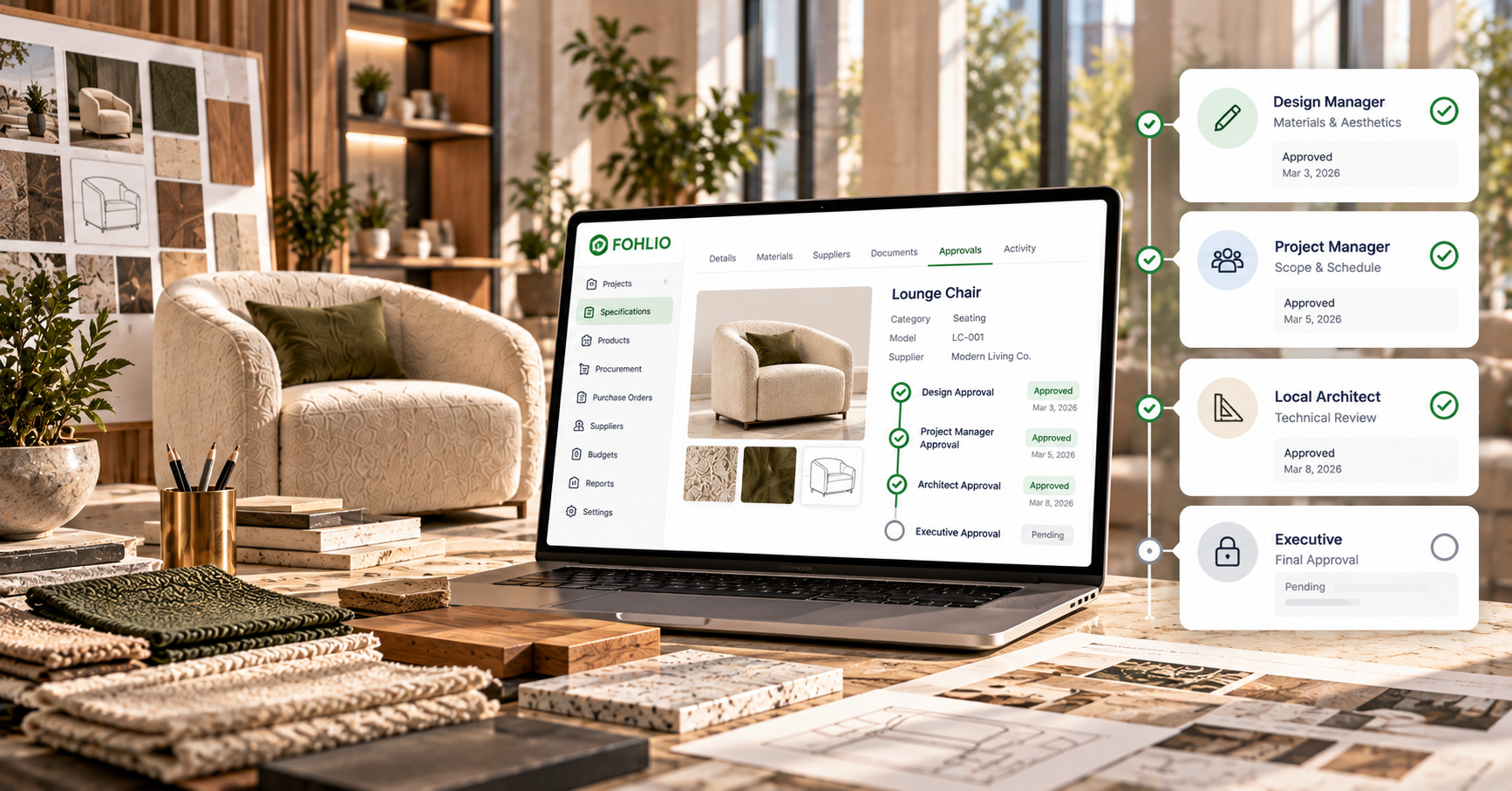
In a small design studio, approval is simple. The principal sits two desks away, looks at the sample, and says yes.
In a retail organization opening 25 stores across several countries, a single custom piece may pass through a design manager, a project manager, a local architect, and an executive before anyone places an order. One global luxury jewelry house tracks four separate approval columns on every project sheet.
Those layers exist for good reasons. The problem is what happens when nobody can prove a decision was made.
Why retail approval chains run long
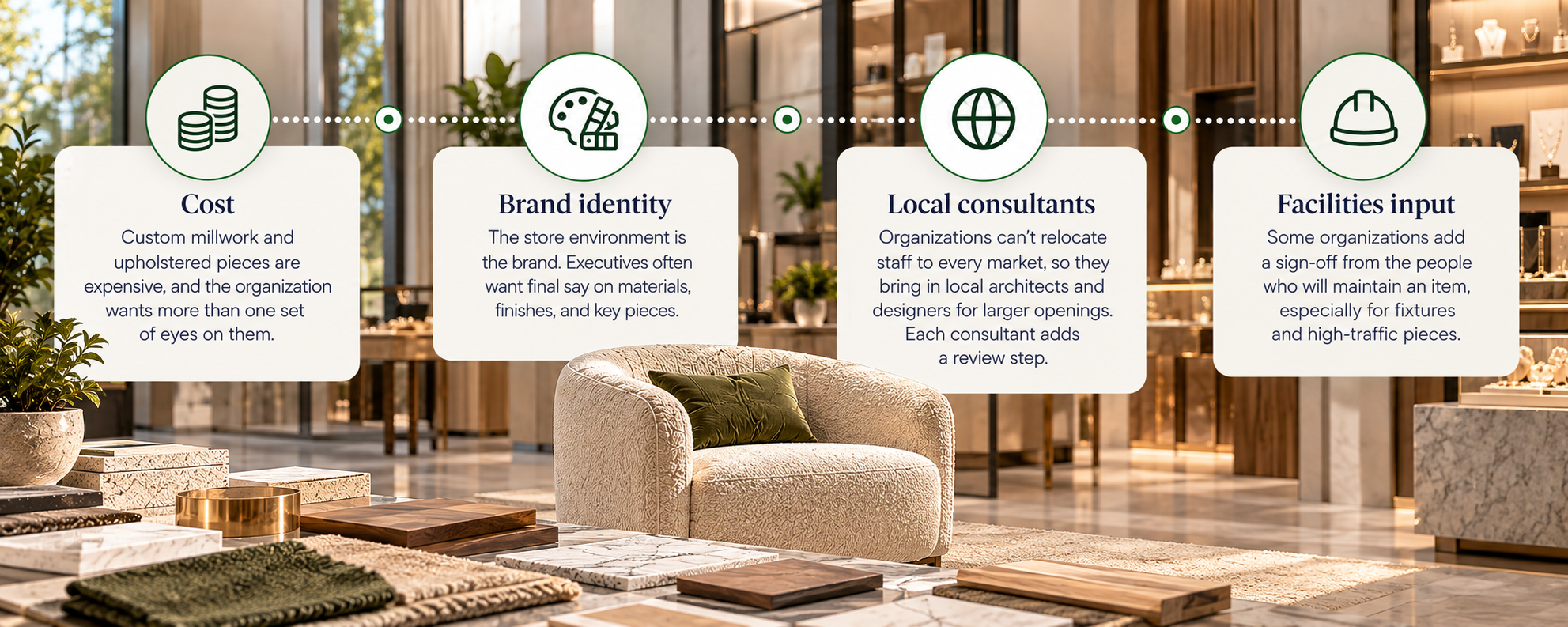
Several things lengthen the chain in premium retail:
- Cost. Custom millwork and upholstered pieces are expensive, and the organization wants more than one set of eyes on them.
- Brand identity. The store environment is the brand. Executives often want final say on materials, finishes, and key pieces.
- Local consultants. Organizations can't relocate staff to every market, so they bring in local architects and designers for larger openings. Each consultant adds a review step.
- Facilities input. Some organizations add a sign-off from the people who will maintain an item, especially for fixtures and high-traffic pieces.
"You approved this a month ago"
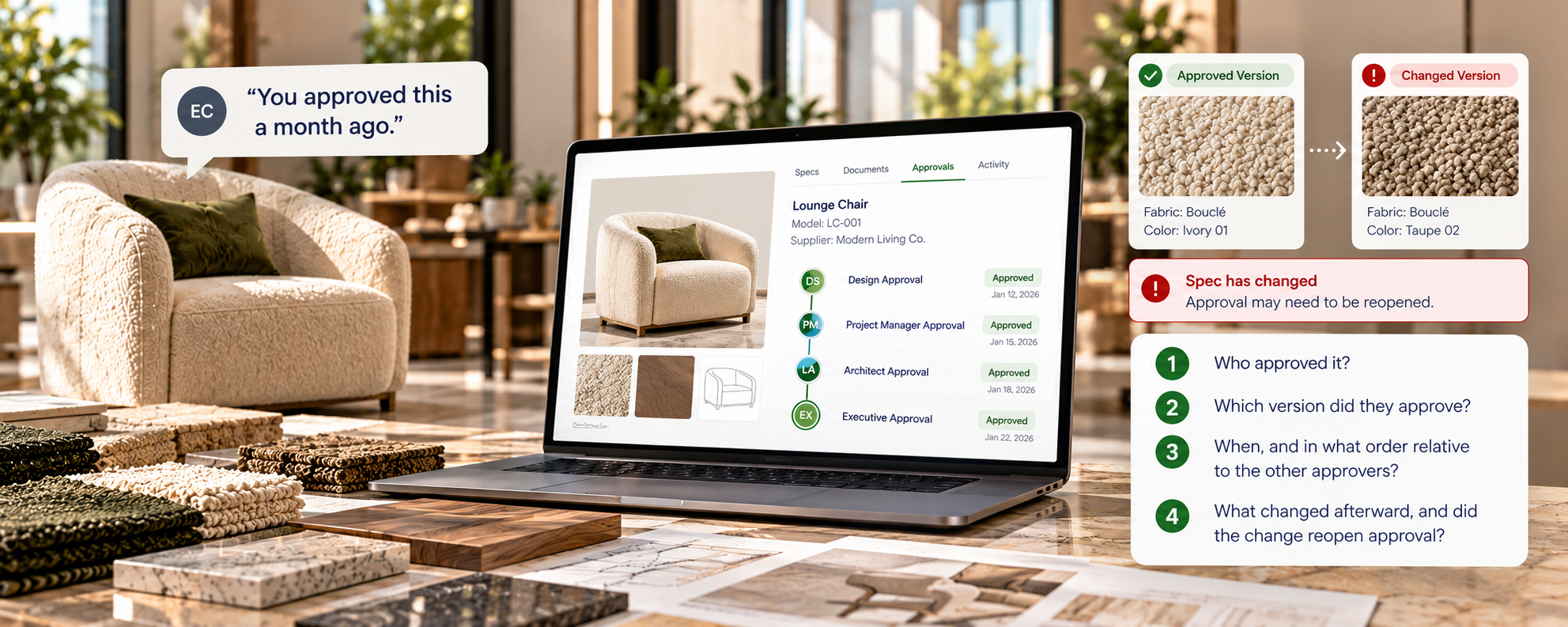
Without a record, approvals get relitigated. An executive sees an installed piece and questions it. The design team remembers the sign-off, but the evidence is an email thread or a comment in a spreadsheet no one can find.
A usable approval record answers four questions for every item:
- Who approved it?
- Which version did they approve?
- When, and in what order relative to the other approvers?
- What changed afterward, and did the change reopen approval?
That last question is the one spreadsheets handle worst. If a finish changes after sign-off, the approval should reset, or at least flag that the approved version is no longer the current one.
Configurable, not fixed
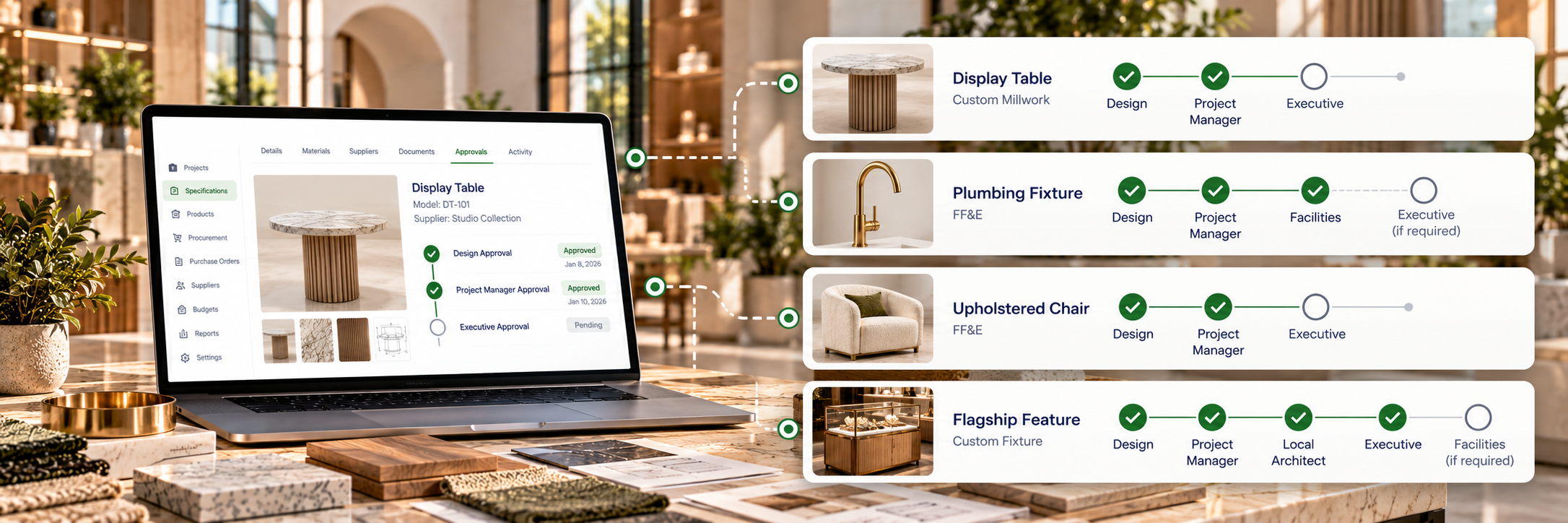
Approval chains differ by item type and by organization. A display table may need design and executive approval. A plumbing fixture may need a facilities sign-off that a fabric doesn't. A flagship may add a step a standard store skips.
A fixed workflow forces teams to work around it, usually by tracking real approvals somewhere else. The approval structure should be set by the organization and applied per item category or project type.
An approval only protects the project if procurement orders the approved version. Where Store Rollouts Break: Design to Procurement covers that handoff.
One dataset, different views
Each group in a rollout needs different information from the same items:
| Team |
What they need to see |
| Design |
Specs, finishes, renderings, approval status |
| Procurement and finance |
Suppliers, POs, costs, GL and Internal Order codes |
| Site and project management |
Status, ETA, current and final location, notes |
| Executives |
Portfolio rollups, open approvals, risks |
When each team builds its own spreadsheet, the versions drift. The better model is one dataset with role-specific views and permissions. That includes granular permissions, not just viewer, editor, and admin. Can this user edit a spec? Upload documents? Approve? Change columns? Local consultants should see their own projects, not the whole portfolio.
Records that outlast the team
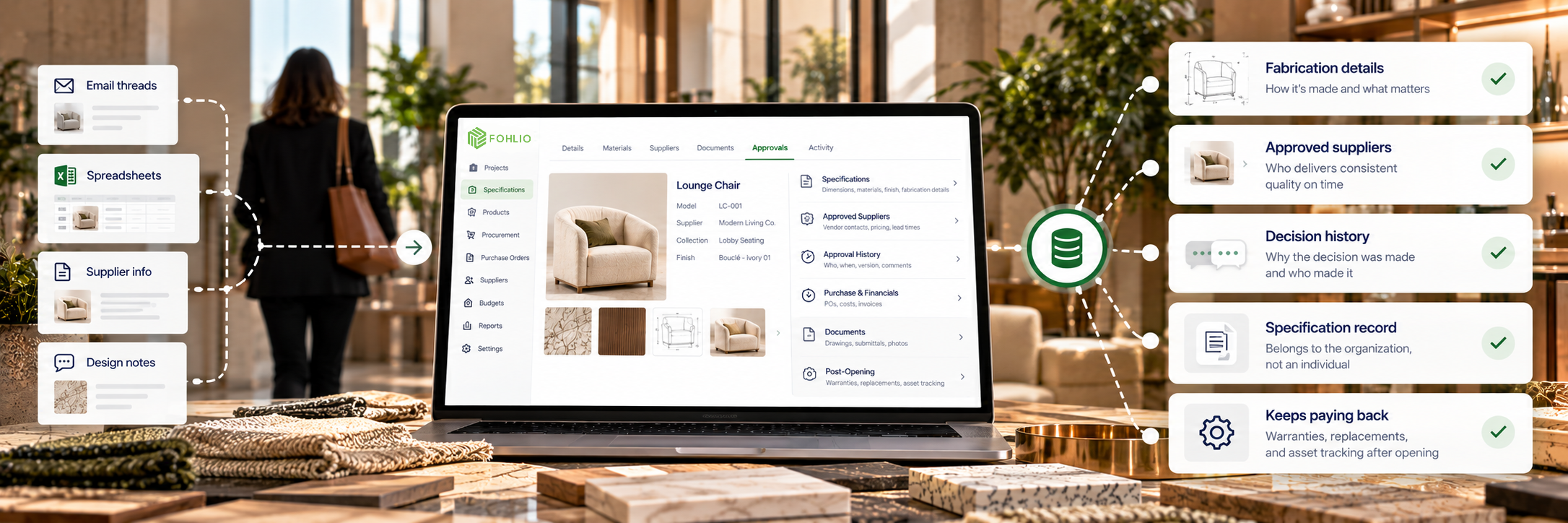
Retail design is a high-pressure field, and turnover is common. Designers move between brands, sometimes several times in a few years. When they leave, they take a lot of undocumented knowledge with them:
- How a custom piece is fabricated and which details matter
- Which suppliers deliver consistent quality on time
- Why a decision was made, and who made it
If that knowledge lives in someone's inbox, the next designer starts over. An organization's specifications, fabrication details, approved suppliers, and approval history should belong to the organization, not to whoever happened to be on the project.
That record keeps paying back after the store opens. After Opening Day: The FF&E Record That Pays Back covers warranties, replacements, and asset tracking.
What to look for
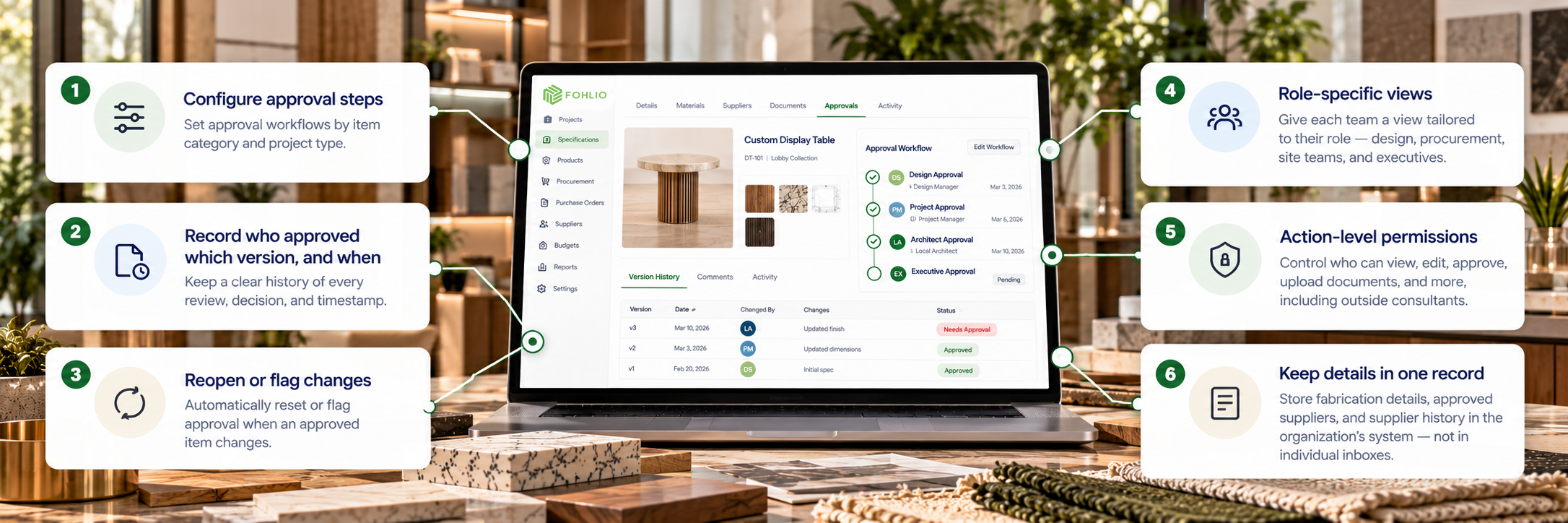
An organization coordinating many teams and consultants should be able to:
- Configure approval steps by item category and project type.
- Record who approved which version, and when.
- Reopen or flag approval when an approved item changes.
- Give each team a role-specific view of the same data.
- Grant permissions at the action level, including for outside consultants.
- Keep fabrication details and supplier history in the organization's record.
Where Fohlio fits
Fohlio keeps specifications, brand standards, and approved-supplier collections in a shared record, so the organization's design knowledge stays put as teams and consultants change. Specifically:
- Approval steps on the project sheet. Organizations add a column for each approval layer, so every item shows where it stands with design, project management, local architects, and executives. Comments keep the discussion attached to the item.
- Role-specific access. Column permissions follow each user's role, so procurement, site teams, and executives each see the fields they need. Local architects and consultants work in the same system with access set by role.
- Knowledge that stays with the organization. Fabrication details, approved suppliers, and supplier contacts live in the item library, collections, and Contact Book rather than in individual inboxes.
- Coming soon in SpeCurate: a configurable approval workflow with separate design and budget approval gates, executive approval added automatically above a cost threshold, specs that lock once approved, and a full audit trail of each reviewer, decision, comment, and timestamp. SpeCurate is Fohlio's next-generation specification platform.
To see how retail organizations keep that record across a rollout, book a demo.