FF&E
Approval Trails for Multi-Team Store Rollouts
Store FF&E passes through design, project management, local architects, and executives. How approval trails and role-based views keep decisions on...
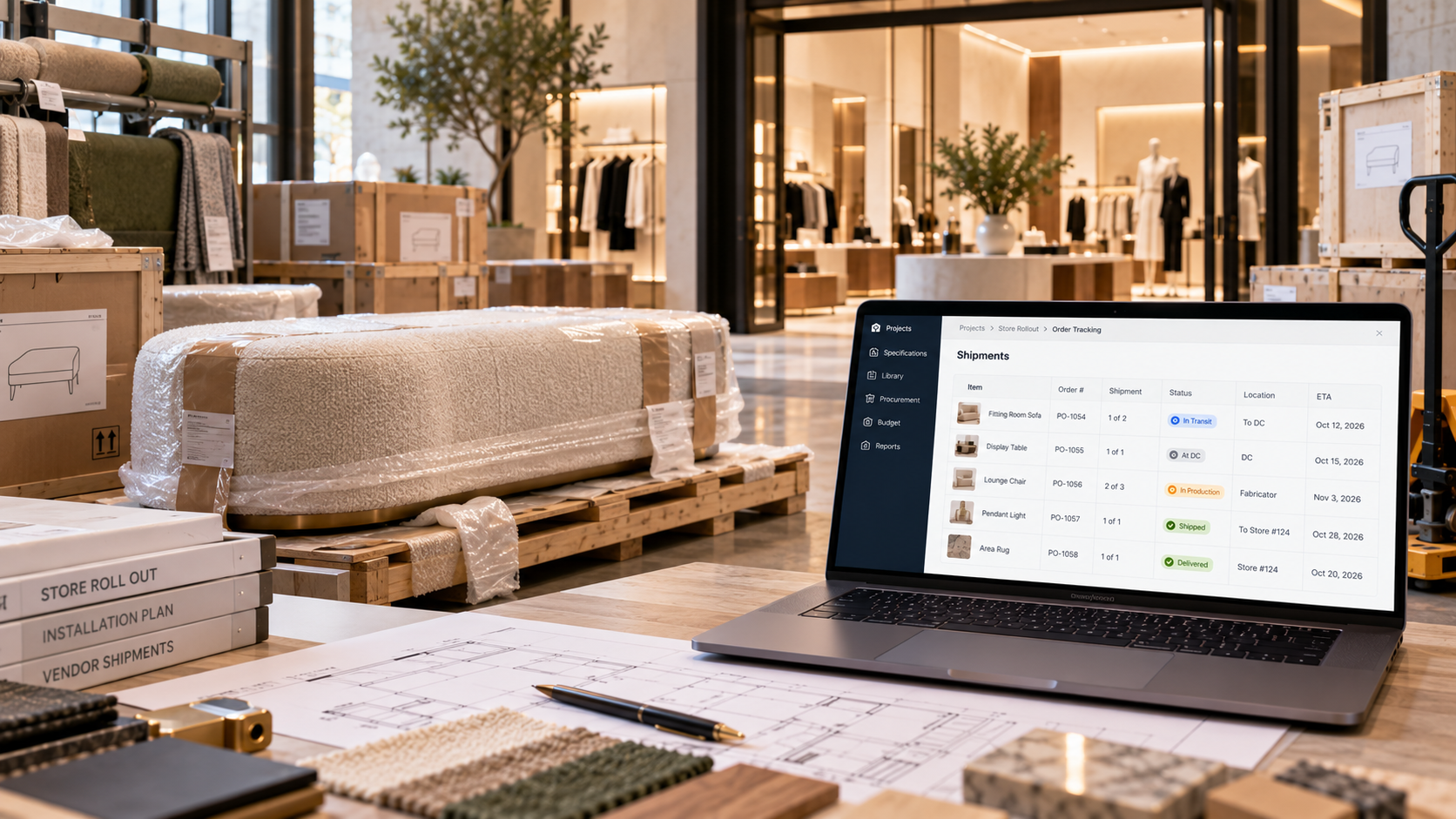
A home can function without its sofa. A store can't open without its fitting-room seating.
That difference shapes retail FF&E logistics. Every custom piece sits on the critical path to an opening date, and most of those pieces take a longer route than a standard purchase. When one leg of that route slips, the opening slips with it, or the team scrambles to pull a replacement from another location.
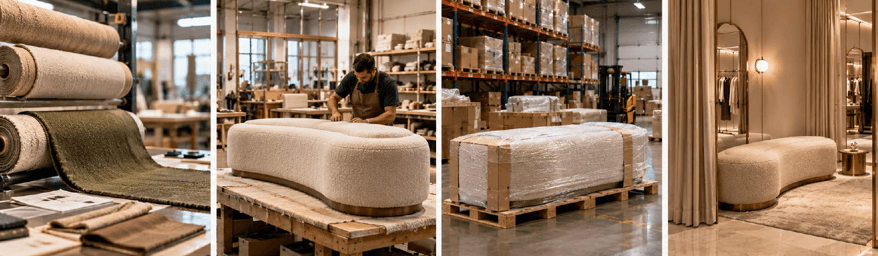
A custom upholstered bench doesn't ship once. A typical route looks like this:
Each leg has its own supplier, lead time, and tracking number. The material and the finished piece are separate shipments, and the finished piece can't move until the material arrives. A spec record that only tracks the finished item misses half the timeline.
That long route is also why a late spec change is so costly. Where Store Rollouts Break: Design to Procurement covers how changes reach procurement before an order ships.

These two terms get used loosely, but they describe different problems.
A large rollout has both at once. One PO for 300 chairs across 12 stores may arrive in four batches, each batch fanning out from the DC to different locations. Most ERP systems track the PO and the invoice well. Few track where each batch, and each piece within it, physically is.

For brands opening many stores a year, the DC works as a central item library. Standard pieces are stocked in bulk; custom and vintage pieces are held individually. As each new project is set up, procurement reserves items from the DC for it, and the available quantity drops.
Many organizations still manage this in spreadsheets, moving rows to an archive tab as items are reserved. That works until plans change, and in retail they change often:
In each case, someone with the right permissions has to reassign reserved items from one project to another, adjust quantities on both, and generate an internal tracking number for the transfer. If the record can't handle that, the move happens by phone and the spreadsheet falls behind.
Identifiers matter here too. Bulk items can share a global SKU. Vintage and custom pieces need a unique SKU each, because no two are interchangeable.
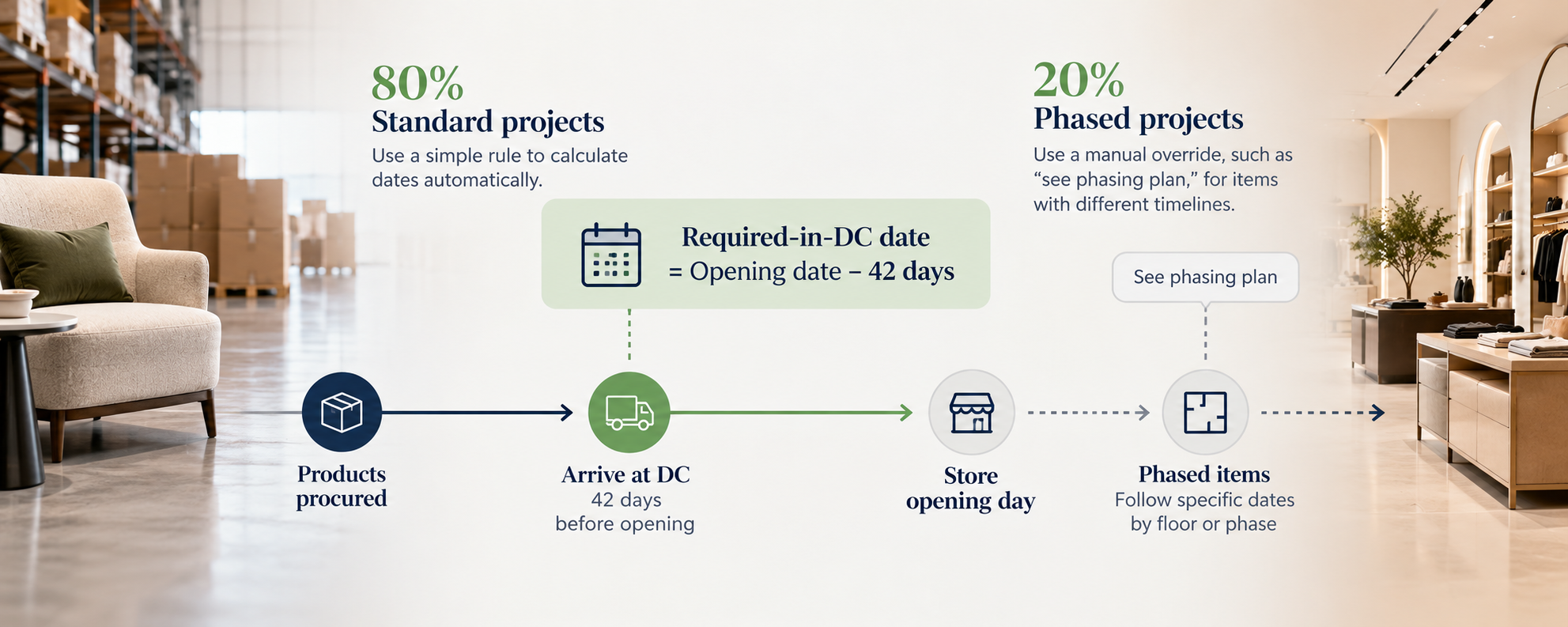
The most reliable scheduling anchor in retail is the store opening date. Everything else is calculated from it.
One apparel brand requires furniture in its DC six weeks before opening on about 80% of projects. That rule can be written as a formula: required-in-DC date = opening date minus 42 days. When the opening moves, every required-by date moves with it.
The other 20% are phased projects, where dates depend on the floor or phase a piece belongs to. Those don't fit a single formula, and they don't need to. The record should allow a manual override, such as "see phasing plan," that points stakeholders to the detailed schedule.
Automating the 80% and flagging the 20% is far better than calculating every date by hand.
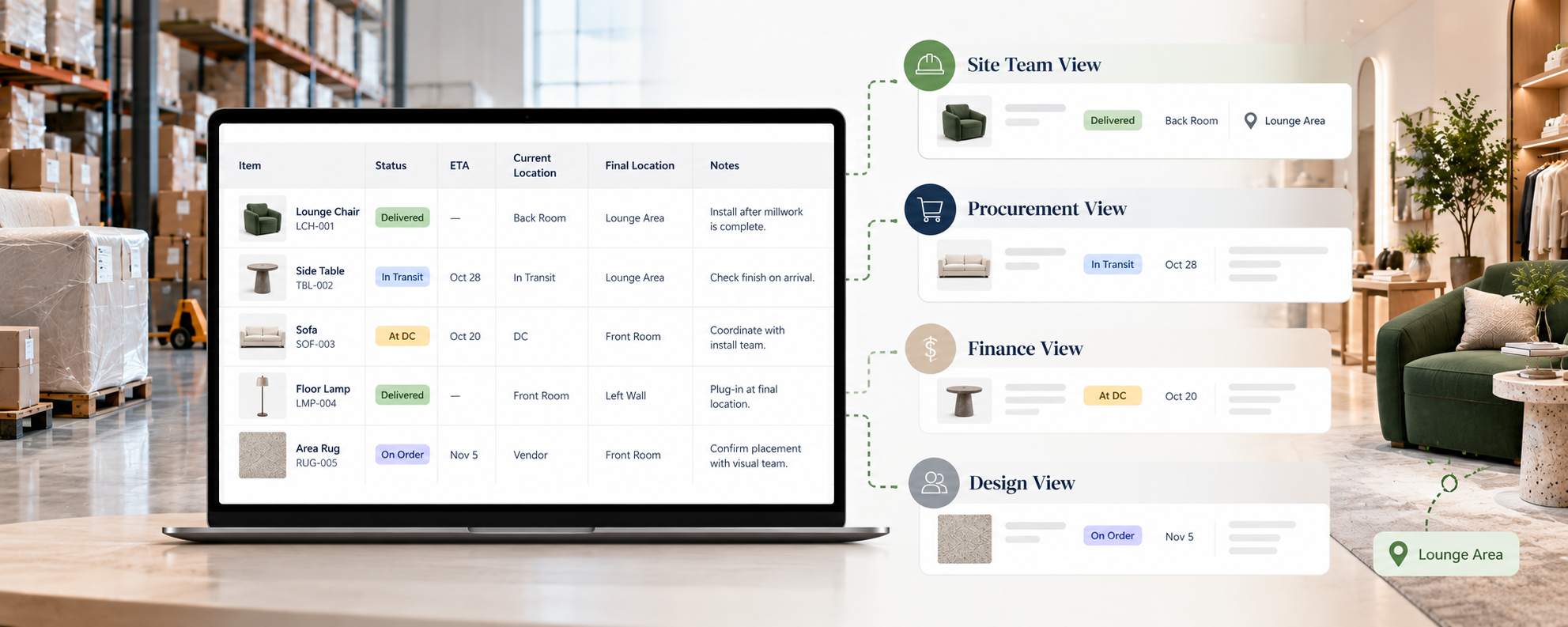
The people receiving and placing furniture don't need PO numbers, authorizers, or order dates. They need to know where each item is and where it's going. A site-team view should show:
The same dataset serves procurement and finance, with the financial columns they need. Different teams get different views of one record, instead of separate spreadsheets that drift apart.
Role-specific views matter well beyond logistics. Approval Trails for Multi-Team Store Rollouts covers how they work across design, finance, and executive teams.
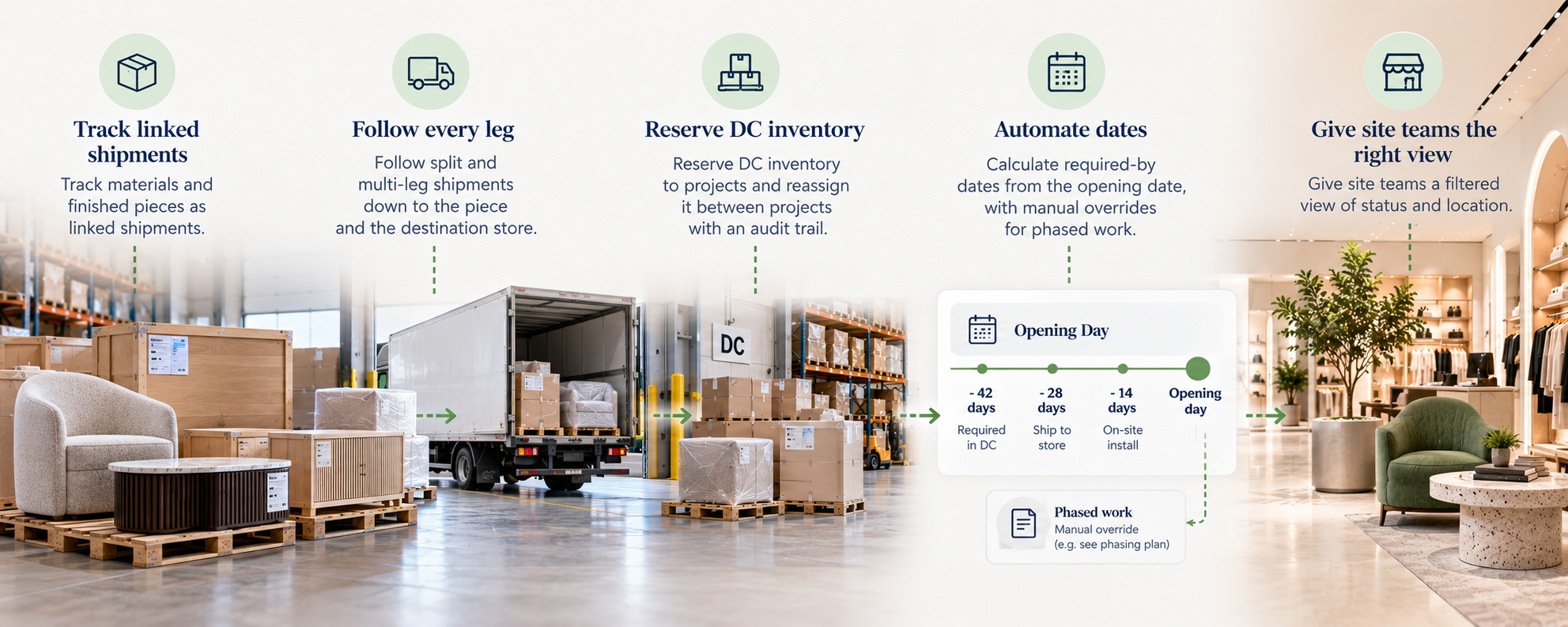
An organization running custom FF&E logistics across many stores should be able to:
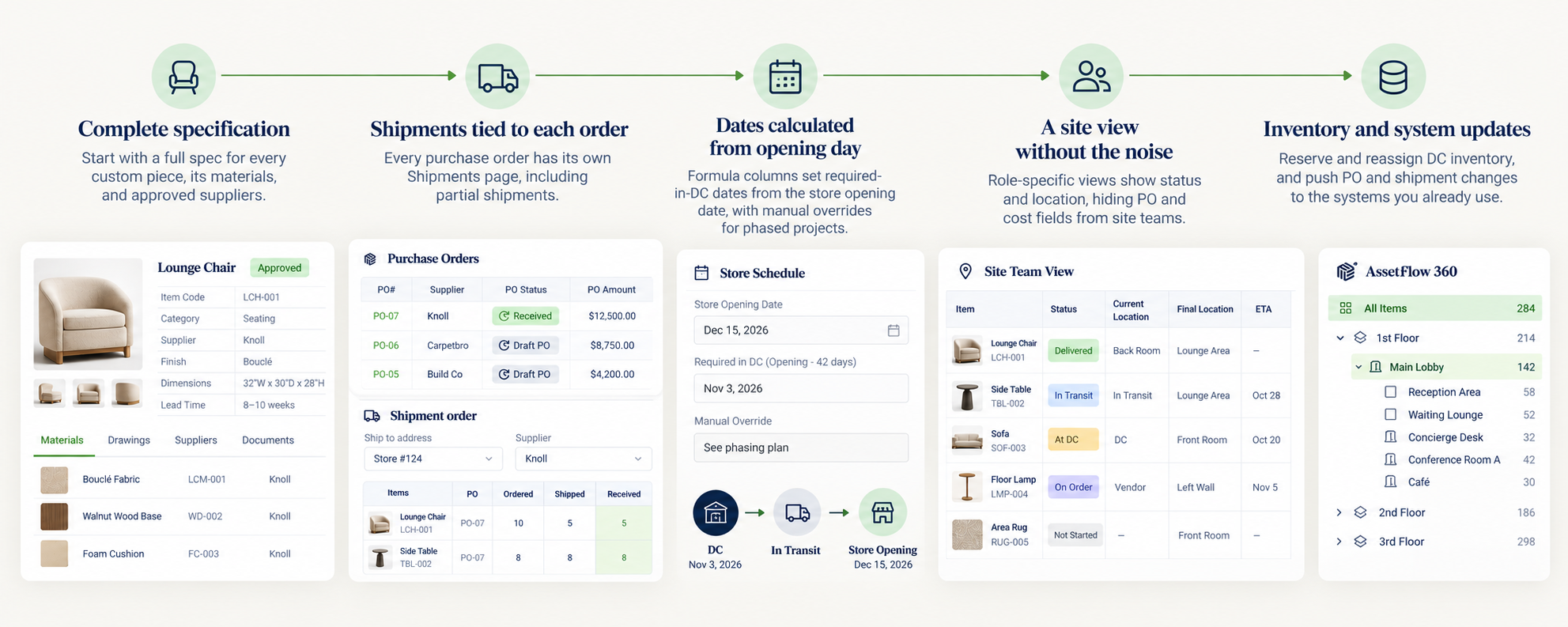
Fohlio starts the logistics record where it belongs: with a complete specification for every custom piece, its materials, and its approved suppliers. From there:
To see how retail organizations connect specs to the rest of the rollout, book a demo.


Store FF&E passes through design, project management, local architects, and executives. How approval trails and role-based views keep decisions on...
Spec changes that never reach procurement cause wrong POs, wasted fabrication, and stores that miss design intent. Here's where the handoff fails and...
Historical averages get a store rollout approved, but they can't plan it. How prototypes, store tiers, and regional modifiers turn a budget into a...