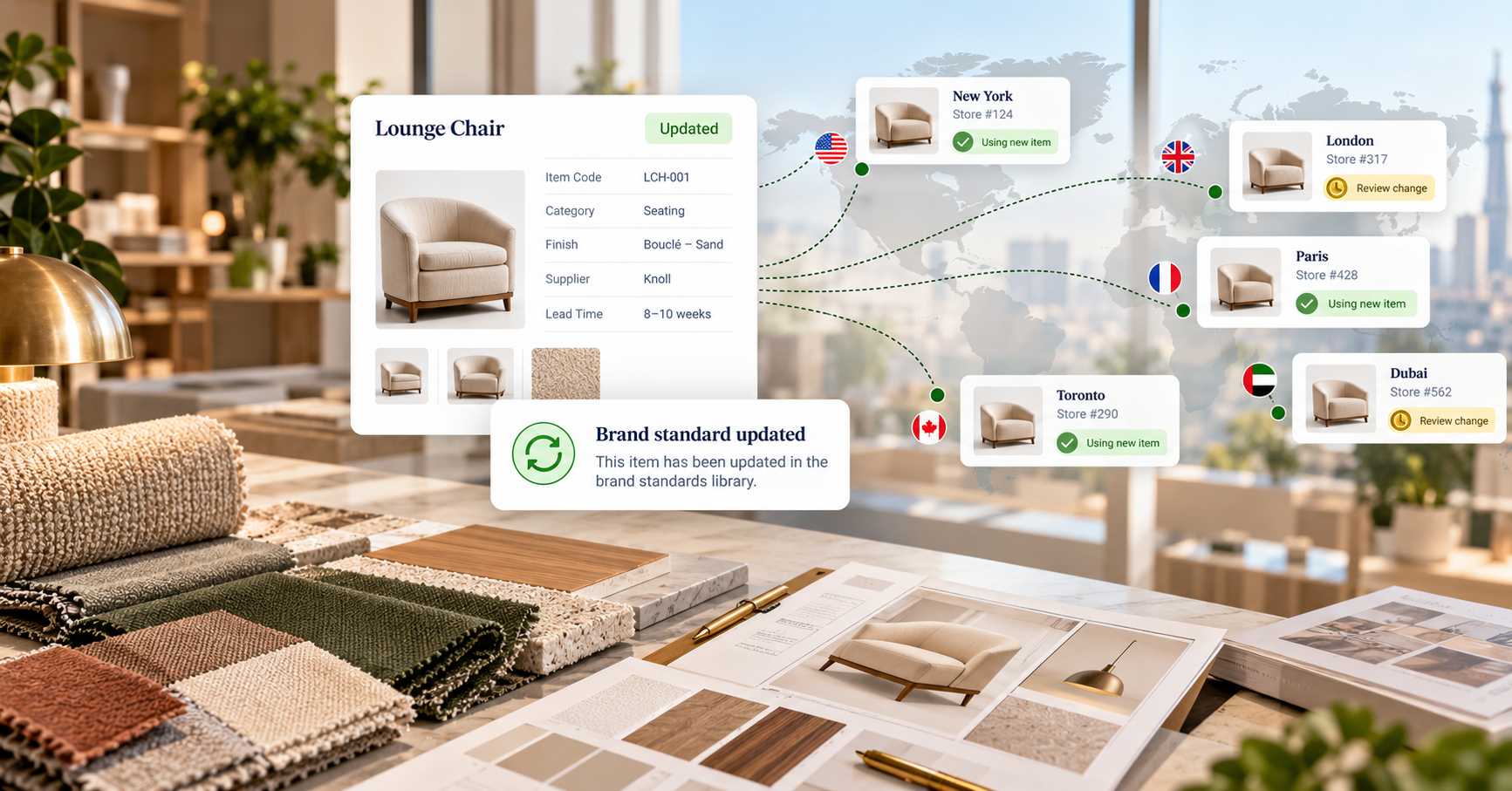
A brand standard is only as current as the last store that heard about the change.
Retail brand standards are never finished. A preferred floor finish gets discontinued. The palette shifts from white to a warmer beige. A fabric stops meeting a code requirement in one market. Each change is a small decision for the brand standards team and a live risk for every store project that already specified the old item.
The short answer to how retailers handle this: every store's spec stays tied to one brand standards library, so a change made once is flagged everywhere it applies, before procurement orders the old version.
What counts as a brand-standard change?
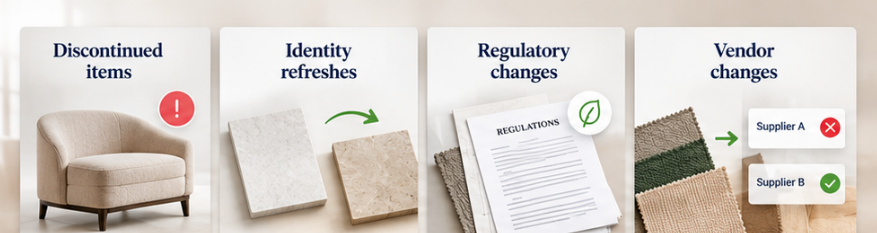
Most changes fall into four types:
- Discontinued items. A manufacturer retires a product or finish, and the standard needs a replacement.
- Identity refreshes. The brand updates its look, such as moving from white flooring to beige, and preferred items change with it.
- Regulatory changes. An item no longer meets a fire, accessibility, or environmental requirement in some markets.
- Vendor changes. A preferred maker loses capacity or slips on quality, and another qualified vendor takes over.
None of these is unusual. In a fleet opening dozens of stores a year, several will happen while projects are mid-flight.
Why changes get lost between the standard and the store

In many organizations, the brand standard lives in a PDF manual or a master spreadsheet. Store projects copy items out of it at kickoff. From that moment, each project holds its own version, and nothing connects it back to the source.
So when the standard changes, someone sends an email, hopes every regional project manager reads it, and trusts that each one updates their project before the order goes out. Projects already in purchasing are the hardest to catch. A store can open with a discontinued finish, or with an order placed for something the vendor can no longer supply.
It's the same failure described in Where Store Rollouts Break: Design to Procurement, multiplied across every location that shares the standard.
How should a brand-standard change move through a fleet?
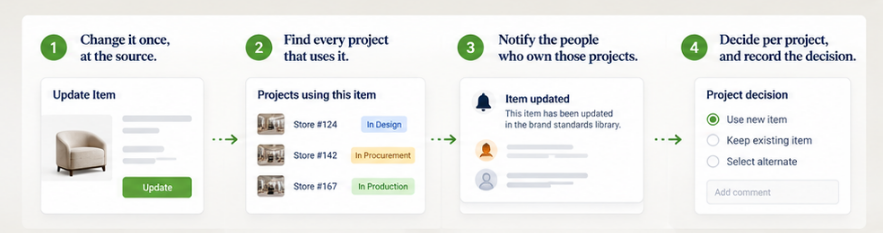
A change should travel in four steps:
- Change it once, at the source. The brand standards owner updates the item in the library, not in each project.
- Find every project that uses it. The system should know which stores specified the item, including projects already in progress.
- Notify the people who own those projects. Regional project managers and designers see the change on the item itself, not in a buried email thread.
- Decide per project, and record the decision. A store still in design adopts the new item. A store whose order has shipped may keep the old one. Either way, the choice is on record.
That last step matters. Not every change should overwrite every project automatically. An item already in fabrication shouldn't quietly change in the spec. The goal is visibility first, then a documented decision. If a change reopens sign-off, Approval Trails for Multi-Team Store Rollouts covers how to keep that history clean.
How to handle each kind of change
| Change |
Store still in design |
Store already ordered |
| Discontinued item |
Switch to the replacement |
Confirm the vendor can fulfill; note the replacement for future repairs |
| Identity refresh |
Adopt the new item |
Usually keep; flag for the next remodel |
| Regulatory change |
Switch before ordering |
Review with the local architect; replace if required |
| Vendor change |
Source from the new vendor |
Keep the order; use the new vendor for future buys |
The "already ordered" column is where most teams lose the thread. Years later, a damaged piece needs an exact match, and nobody remembers which version that store received. After Opening Day: The FF&E Record That Pays Back explains why that record is worth keeping.
Standards set boundaries, not every detail
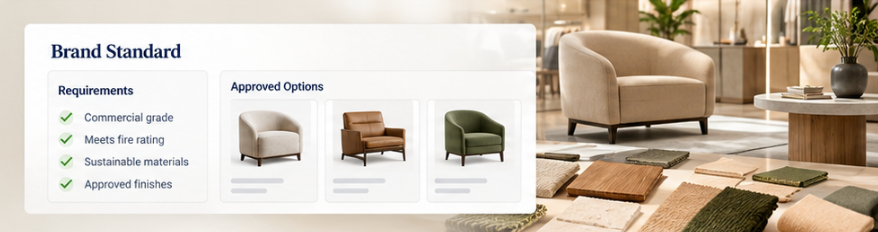
Good brand standards rarely say "use only this one item." They set requirements, then list the preferred products and vendors that meet them. Designers choose within that range for each store. A change to the standard is a change to the range, which is why it has to reach the people making those choices. More on that balance in Standardize the Process, Not the Store.
Who should own a brand-standard change?
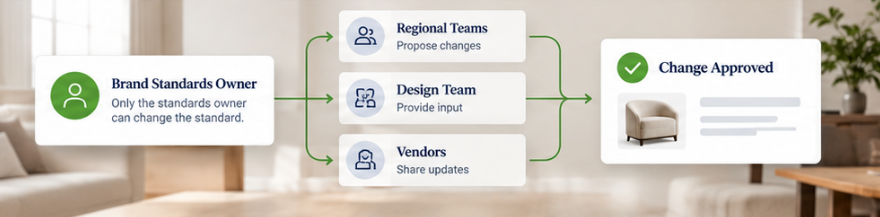
One brand standards owner, or a small team, should be the only people who can change the standard itself. Regional teams propose; the standards owner decides. In organizations with a central design team and regional project managers, the central team usually holds this role. Central Design, Regional PMs: How Global Retailers Run Store Rollouts explains how that structure works.
Custom pieces raise the stakes. When a standard item is built to order, a change can affect shop drawings, fabric quantities, and lead times at once. Precision by Design covers how to spec custom work so changes like these don't get lost.
Where Fohlio fits
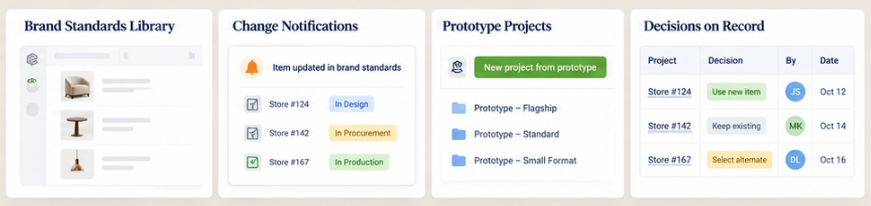
- One brand standards library. Approved products, finishes, requirements, and qualified vendors live in a single library that every store project draws from.
- Change notifications. When a library item is updated, discontinued, or swapped, Fohlio notifies the projects that use it, so regional teams see the change where they work.
- Prototype projects. Each new store starts from a duplicated prototype built from the library, not a copy-pasted spreadsheet.
- Decisions on record. Approval columns, comments, and item history show who accepted a change, on which project, and when.
To see how retail teams keep every store on the current standard, book a demo.
Frequently asked questions
What is a brand standards library in retail?
A brand standards library is a maintained catalog of the products, finishes, and vendors a retailer approves for its stores, along with the requirements each item meets. Store projects specify from it, so every location builds to the same current standard.
How do retailers tell stores about a discontinued fixture or finish?
The most reliable way is to update the item once in a central library and notify every project that specified it. Email updates depend on each project manager reading them and editing their own files, which breaks down across many stores.
Should a brand-standard change update every store automatically?
Not always. Stores still in design should adopt the change. Stores with orders placed or items in fabrication may keep the original. Each project should see the change and record its decision.
Who approves changes to retail brand standards?
Usually a brand standards owner within the central design team. Regional teams can propose changes, but the standard itself should have one owner.